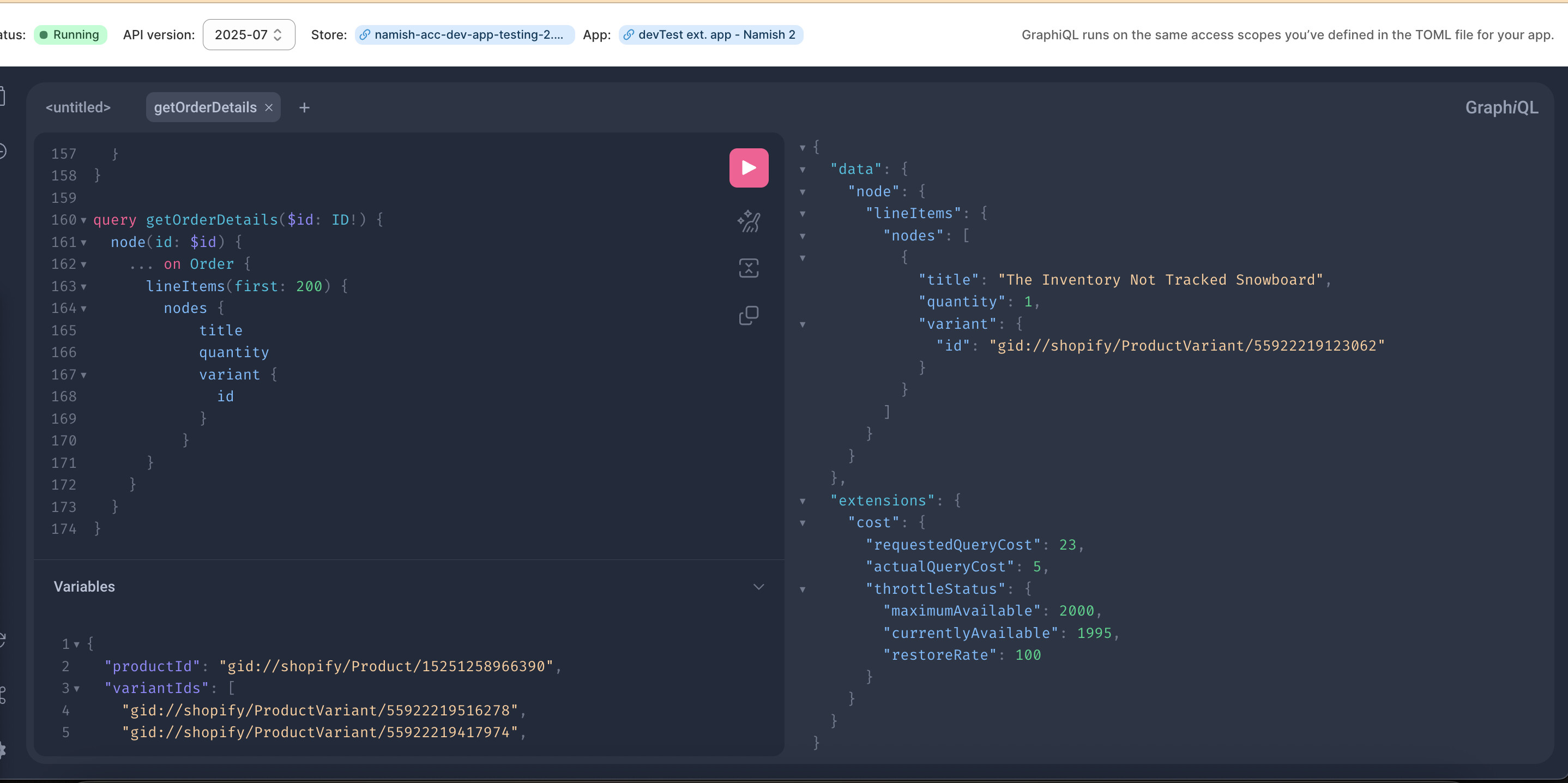
Hey team! I am building a post-purchase upsell on the Thank You page with checkout_ui as an extension type. I have declared all of my access scopes in the app.toml file, and the query to fetch order details works perfectly fine on GraphQL, but throws an error in the network tab. Am I missing something
useEffect(() => {
    query(`query getOrderDetails($id: ID!) {
        node(id: $id) {
          ... on Order {
            lineItems(first: 200) {
              nodes {
                  title
                  quantity
                  variant {
                    id
                  }
                }
            }
          }
        }
      }`, { variables: { id: orderConfirmation.order.id.replace('OrderIdentity', 'Order') } }).then(({ data, errors }: { data: { node: Order }, errors: GraphQLError[] }) => {
      if (errors) throw new Error(errors.map(e => e.message).join(','));
      setOrderData(data?.node.lineItems.nodes);
    }).catch(debug);
  }, [orderConfirmation.order.id, query, debug])
Hi @Namish_Kapoor
So the query works on the GraphiQL app but not on your own app? Does your app have the read_orders scope?
1 Like
When using query, you’re querying the Storefront API with these unauthenticated access scopes, which means you’re not able to access any order or customer data. The Thank You Page also often renders before orders are actually created under the hood, so even if you set this up in a way to query your server to then query the Admin API, you’ll need to do some sort of polling, and in some rare cases (e.g. flash sales), it might take several seconds until the order is ready.
It looks like you’re just querying line items though, I wonder why you’re not just reading cart lines from the Standard API?
1 Like
@Liam-Shopify Yes, my app contains the read_orders scope, and if I am not wrong, the GraphQL explorer runs on the same access scope that our app has
@Kenza_Iraki Well, it sure does make sense. But can you please explain me why does it works in the GraphQl explorer, as we have the same access scopes in the explorer as our app does
I was not using cartLines because of 1% of the chance that the checkout and the products in the cart might differ, but I believe that this could never happen.
In the GraphQL Explorer are you using the Admin or Storefront API? As it defaults to Admin so might just be something to check 
1 Like
@JordanFinners Thank you for the feedback here, but can you please also suggest how we can check that?
It’ll be in the top bar of the tool near what API version it’s using
Even if you’re indeed testing with the Storefront API, the query is likely to work in the GraphQL Explorer, but still won’t work in your extension, because the Storefront API token generated for extensions is limited to these access scopes.
1 Like
Thank you so much @Kenza_Iraki @JordanFinners. Your support really means a lot. I appreciate it