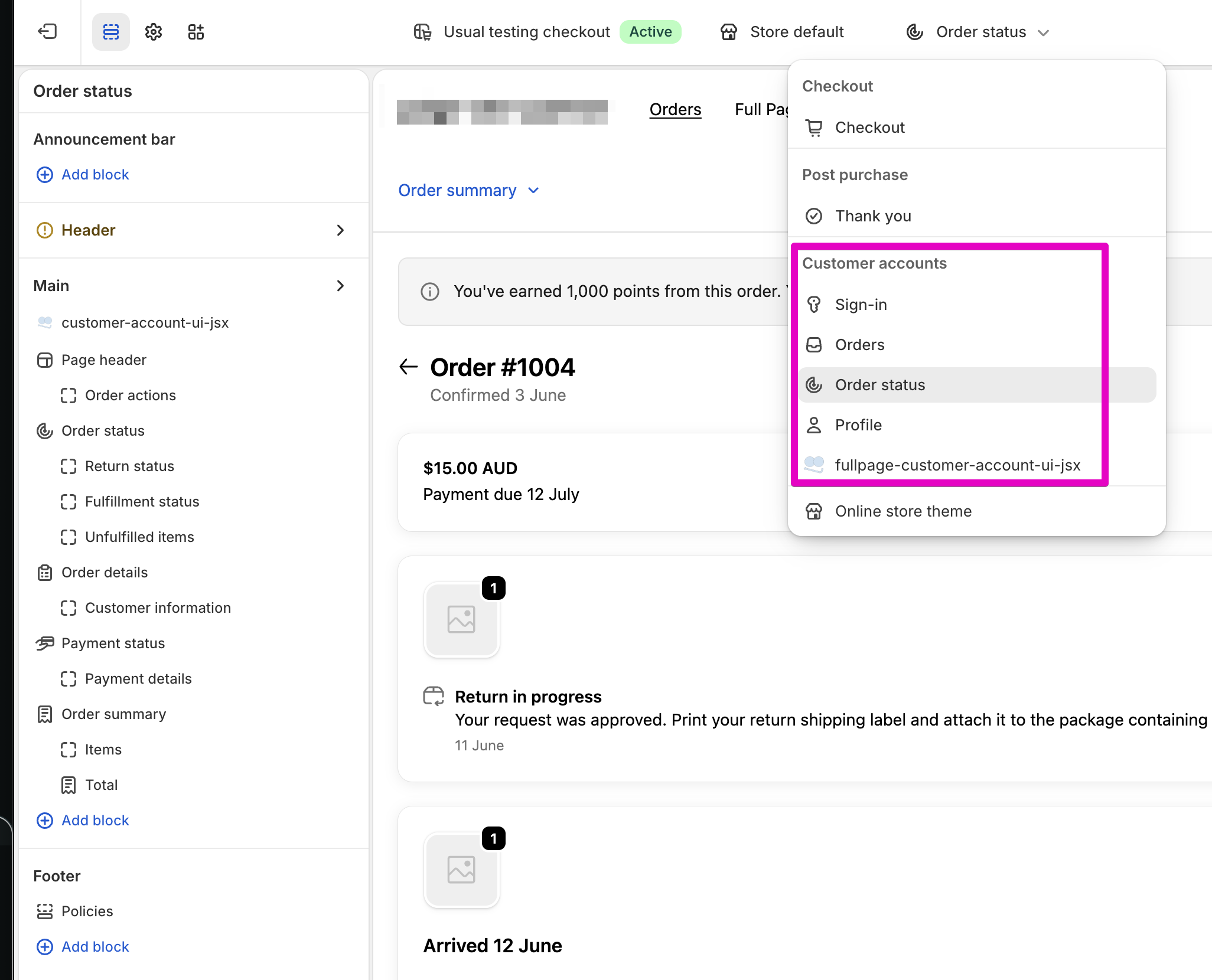
Editing theme Liquid files (did not affect customer account pages)
Looking in theme editor (order pages are not available there)
Attempting a custom app, but I am unsure which extension target is correct
Additional info
The button should:
appear on each order detail page
access the order context (order ID, tracking number, etc.)
open a custom form or external app
Questions:
Is it possible to add custom UI elements to Shopify Customer Accounts order pages?
If yes, what is the correct extension type/target for adding an order-level action button?
If not, what is the recommended approach for building this (Customer Account UI Extension vs app proxy vs external portal)?
Only legacy customer accounts can be edited with theme files and configured through the theme editor at themes/theme_id/editor. The newer customer accounts can only be edited with apps and configured at settings/checkout/editor/profiles/profile_id:
Since you’re using the new Customer Accounts, you will either need to build a custom app with a Customer Account UI extension or install an app that has Customer Account UI extensions.
If you’re interested in exploring existing apps, you can discover some compatible apps here. The Checkout Blocks app is also an option.
If you want to build your own, you can review the available targets here. If you want recommendations: the customer-account.order-status.block.render renders on the order status page at /account/orders/{id} while customer-account.order.action.menu-item.render renders on each order at /account/orders and on the order status page at /account/orders/{id}.