farid
1
I am getting the following error after trying to edit a metaobject.
Error validating output against schema. Verify the intent resolves with a valid payload.
This code is already on production for a long time and was working without any problem until now.
Details of the error
{
    "result": {
        "errors": [
            {
                "path": [
                    "id"
                ],
                "code": "custom",
                "message": "Expected a GID for Metaobject. Got undefined"
            }
        ],
        "success": false
    },
    "outputSchema": {
        "id": {
            "type": "shopify/Metaobject+url",
            "fieldName": "data.id",
            "mapTo": "form_data"
        }
    }
}
Also just for clarification admin intent opens but save is failing
Additionally these are app owned metaobjects so maybe something related to it can be the reason
farid
2
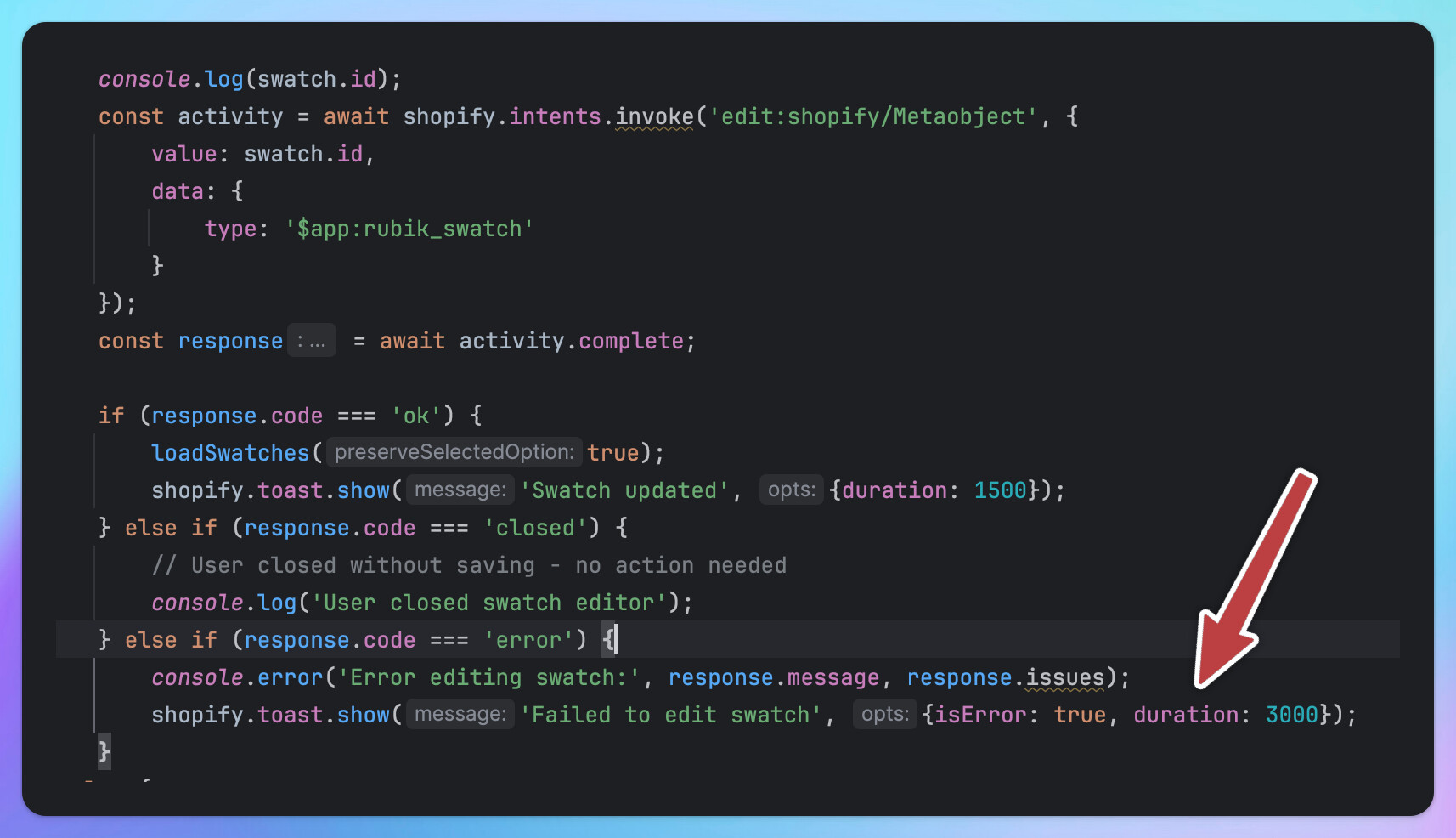
I realized the main issue is related to usage of type: ‘$app:rubik_swatch’
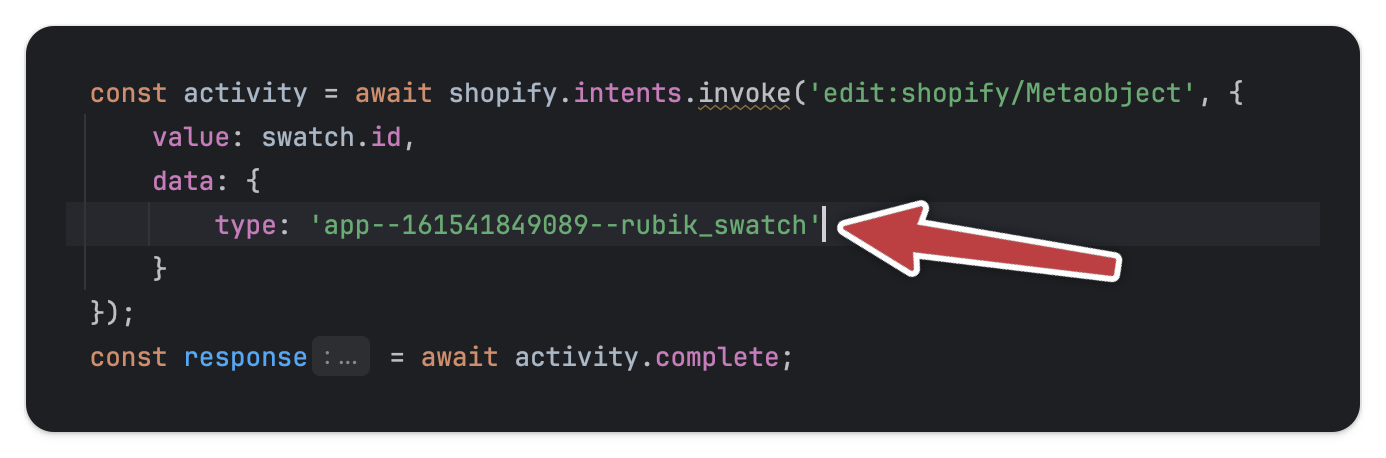
If I replace it with hard-coded value then it works.
const activity = await shopify.intents.invoke('edit:shopify/Metaobject', {
value: swatch.id,
  data: {
   type: '$app:rubik_swatch'
  }
});
const response = await activity.complete;
This code works
But it is still the bug because I should be able to use $app:rubik_swatch
cc: @Liam-Shopify
farid
3
I found the workaround, so I am sharing this for people experiencing a similar problem.
I fetched the app ID
and constructed the type manually with this ID
It is a bit more work rather than simply being able to use $app:rubik_swatch, but I’m happy that at least my app continues to function properly again.
Hi again @farid
We’re working on a full fix for this issue, but that workaround should work in the meantime. Will update here when there’s more to share.
Hi again @farid - This should be resolved now
farid
6
Yes, I can confirm the issue is fixed now. Thanks Liam and the team for the fix.