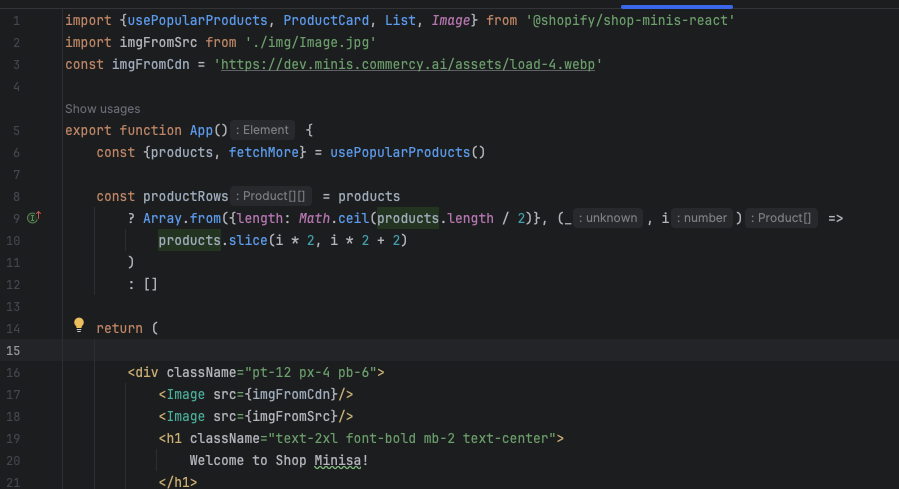
Hi, Shopify team! We are getting continuous errors with the Android Emulator. The black screen appears, and the app is not loading.
Investigating this pointed to
Failed to load module script: Expected a JavaScript-or-Wasm module script but the server responded with a MIME type of "image/webp". Strict MIME type checking is enforced for module scripts per HTML spec. 10:21:24.334
I just ran new clean project, and after importing image to component (from src folder of course) the app crashes on Android sim, but running on IOS
No matters with format (png, webp,jpeg) - all are crashing on Android
No matter or
“@GovRayt/shop-minis-cli”: “0.0.225”, and early versions.
But if I used an image from cdn and use just as string with URL ( e.g. “https://dev.minis.commercy.ai/assets/load-4.webp”) it works on both platforms