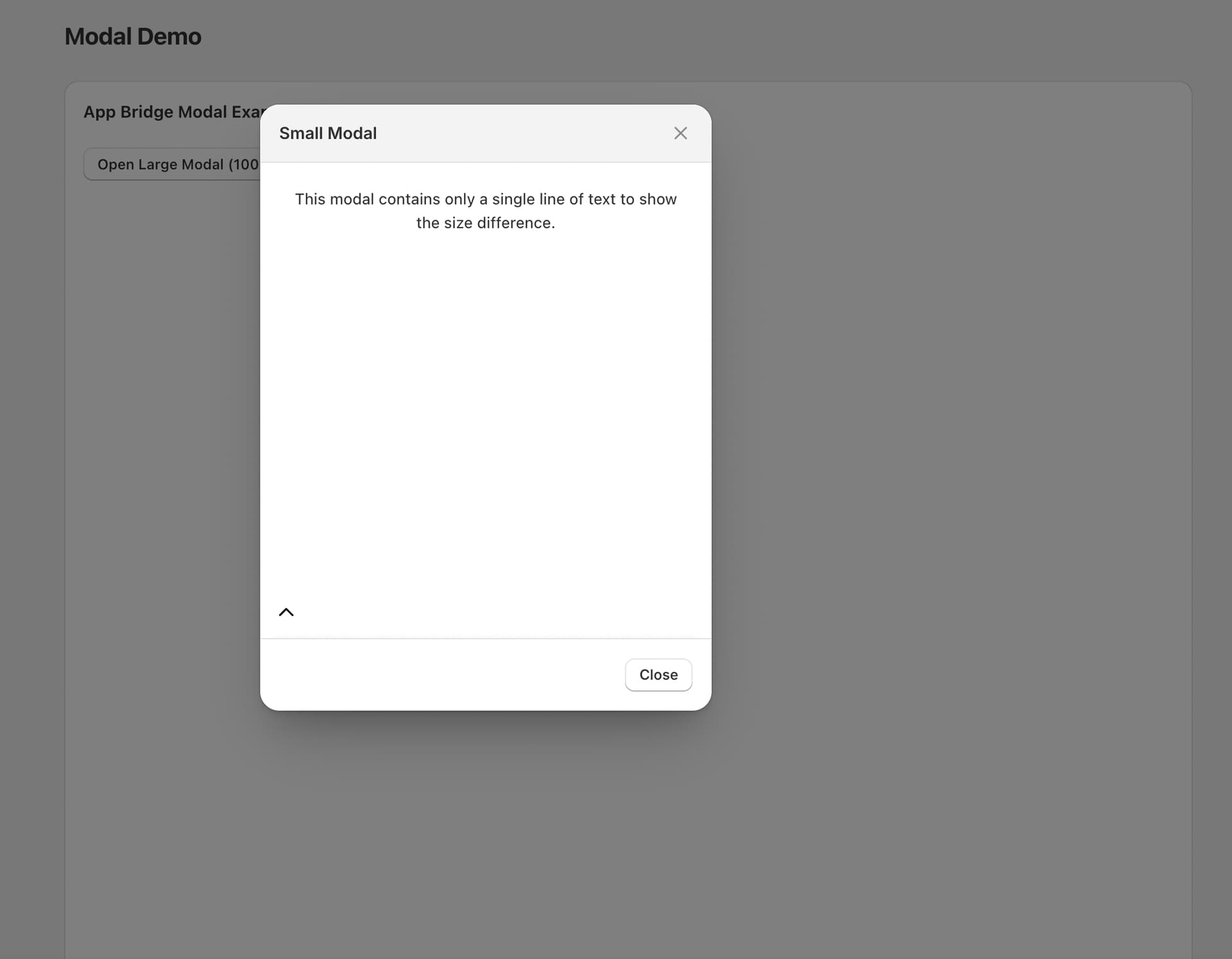
I’m seeing odd sizing behavior with @shopify/app-bridge-react modals when switching between a large product picker modal and a small delete confirmation modal. It looks like the modal “remembers” the last size it rendered and applies that to the next modal—even if the next one has a different variant.
What I expect
Opening the small delete modal should always render small.
Opening the large product modal should always render large.
Switching between them shouldn’t cause one to inherit the other’s size.
What actually happens
If I open the delete modal first (small), it renders small as expected. When I then open the product modal (large), it initially tries to fit inside the small size and only jumps to large after content finishes loading.
If I open the product modal first (large), then open the delete modal, the delete modal stays large and doesn’t shrink.
These modals live on different pages/files but share the same App Bridge instance.
Each modal has a unique id (tag-product-modal vs delete-playlist).
The issue occurs even though the components are mounted on different pages.
I am using the variant prop ("large" / "small"), but size seems to be applied late or retained from the previous modal.
Questions
Does App Bridge cache/reuse a single modal container across routes so the previous variant bleeds into the next modal?
Is there a recommended way to force a size recalculation on open (e.g., a prop, method, or config) so variant is respected immediately?
Should I be explicitly destroying the previous modal instance before opening the next (e.g., via app.modal.hide(id) or another API) to avoid size retention?
Is there a known issue with variant and lazy-loaded content that I should account for (e.g., by deferring open until after content is ready)?
Any best practices for using modals across multiple pages/components so sizes don’t leak?
Hey @alex_0715 happy to help look into this! Could you share the exact versions of @GovRayt/app-bridge-react and (if present) @GovRayt/app-bridge you’re using and how you’re initializing App Bridge (v4 script tag with meta api key vs legacy Provider)?
Just want to make sure we’re looking at the right integrations to help out further - hope to hear from you soon!
@gadgetincgadgetinc/react-shopify-app-bridge handles the main App Bridge initialization
We are not using the v4 script tag approach - instead using React providers
Thanks @alex_0715 , appreciate you sending the repro my way. I’ll do some further digging into this and loop back with you once I have more info on my end, speak with you soon!
We haven’t been able to reproduce this error on our end, so one other thing to try would be initializing App Bridge without the gadgetincgadgetinclibrary to narrow down if that is the potential cause if you haven’t already done so.
Let me know if I can help out any further - just ping me here. Hope this helps a bit
Thank You!
1 quick follow-up question
We can see that both the models are having same div ids, is this an expected behavior? Or this maybe the cause of the issue of why its retaining the height of the previous modal?
Both modals are rendered with the following ids
small modal:
But 1 modal is of max variant and other is of small
Everything works as expected
small modal: <div id="947ca469-1a77-4dbc-8fca-0eb26794067a" style="max-height: 100vh; display: flex; position: relative; height: 80px; transition: height 0.2s ease-in-out; flex: 1 1 0%;"><iframe name="frame://realityshop-test/modal/3a45d482-5d62-4571-8ae8-6ff8c909c613" title="realityshop-test"
No worries, glad it’s working and thanks for following up!
The same ID can be expected behaviour here. App Bridge technically renders and owns the modal host in the Admin UI and can reuse it across opens (more info here), so the admin-based container div/iframe you’re inspecting will can have the same id/name regardless of which Modal component in your app triggered it.
That id isn’t related to your React <Modal id="…"> and isn’t guaranteed to be unique per “modal” concept in your app. Hope this helps/makes sense, let me know if you see any other unexpected behaviour though and I’d be happy to take a look!
 happy to help look into this! Could you share the exact versions of