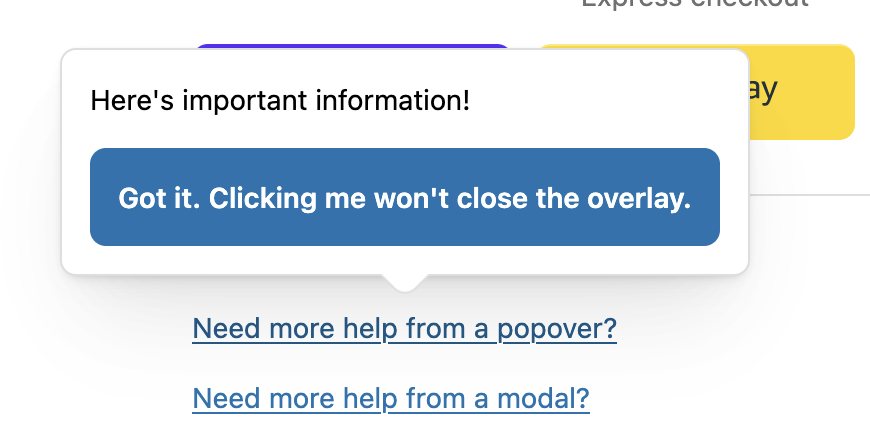
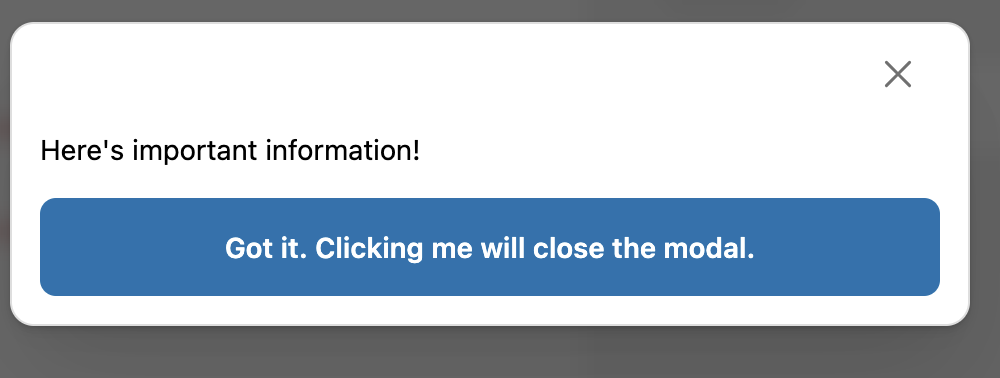
Hello! We have a popover that displays additional help text. We want to have a button within the popover that dismisses the popover. However, calling ui.overlay.close("my-overlay") does not close the popover.
Based off of the documentation on ui.overlay.close(), I would expect this to work.
<BlockStack>
      <Link
        overlay={
          <Popover id="my-overlay">
            <View padding="base">
              <BlockStack spacing="base">
                Here's important information!
                <Button onPress={() => ui.overlay.close("my-overlay")}>
                  Got it. Clicking me won't close the overlay.
                </Button>
              </BlockStack>
            </View>
          </Popover>
        }
      >
        Need more help from a popover?
      </Link>

      <Link
        overlay={
          <Modal id="my-modal-overlay">
            <View padding="base">
              <BlockStack spacing="base">
                Here's important information!
                <Button onPress={() => ui.overlay.close("my-modal-overlay")}>
                  Got it. Clicking me will close the modal.
                </Button>
              </BlockStack>
            </View>
          </Modal>
        }
      >
        Need more help from a modal?
      </Link>
    </BlockStack>
Hey again @szafan, we’re looking into this as a potential bug and I’ve spoken with the product team for you on this. I can’t guarantee a turnaround time for a fix, but I’ll keep my eyes on this and update you as soon as I have more info.
Hey @szafan - just reaching back out here with some good news! A fix for this is deployed and should be live. Can you let us know if you’re still seeing the issue pop up? If so, I can definitely look into this further.
Hi @Himanshu_Soni , thanks for flagging this! Are you seeing this happen with a similar example to the one szafan shared earlier? If you’re open to share a repro example and a link to the affected shop, I’m more than happy to take a look and get back in touch with our product team to look into this with you.
Hey @Himanshu_Soni , I was able to work with our product team a bit more closely on this, and we weren’t able to replicate the issue. Would you be open to sharing a minimal reproduction of your extension where the error persists? If you’re open to sharing that, I can set up a DM and we can take a look at your code to see if we can replicate that way.
Hope to hear from you soon - let me know if you have a preferred way to share that and we can look into things further
The Shopify dev assistant also agreed that the code I’ve shared here is the way this should be being done, so this very much looks like a bug rather than anything wrong with my code. Not being able to programatically close a modal after the user triggers an action from it severely limits the UX we’re able to provide, so if we could get a fix soon that’d be great
Editing to add: I’ve tried updating to the current latest @shopify/ui-extensions package (2026.1.1) and the issue still persists there too.
Hi JF. Thanks for sharing this – I was used to the “close via JS API” approach and honestly hadn’t seen the documentation for the instance methods. FWIW it seems like the AI assistant on the docs site isn’t familiar with the instance methods either, because when I asked it how I could programatically close a modal, it only told me about the shopify.ui.overlay.close() method.
One small issue I ran into with the instance methods approach was what type to use for the ref. I ended up using
 Hello! We have a popover that displays additional help text. We want to have a button within the popover that dismisses the popover. However, calling