And all works correctly. But after upgrade to latest version app I can’t deploy because I have issue:
│  App-specific webhook subscriptions are not supported when                   │
│  use_legacy_install_flow is enabled.                                         │
│                                                                              │
│  To use app-specific webhooks, you need to:                                  │
│  1. Remove 'use_legacy_install_flow = true' from your configuration          │
│  2. Run 'shopify app deploy' to sync your scopes with the Partner Dashboard  │
│                                                                              │
│  Alternatively, continue using shop-specific webhooks with the legacy        │
│  install flow.                                                               │
│                                                                              │
│  Learn more: https://shopify.dev/docs/apps/build/authentication-authorizati  │
│  on/app-installation
And when I removed subscriptions then after deploy I lost my configuration in Shopify Partners:
Opening a comment in the Github repo is the recommendation we usually share on the forums here for issues with the CLI, and I’ve seen you have done that already, but if you haven’t heard back from our CLI developers directly on this by the end of the week, can you ping me here again and I can do some digging into this directly for you and see if we can get this escalated?
Hope this helps a bit, if needed, please feel free to ping me here again and I’d be happy to take a look.
Hi @sebastian.pisula - for sure! I’ll touch base with the team internall and see if we can get this looked at for you. I can’t guarantee a turnaround time, but I will make sure to get back to you on this, even if we can’t share a concrete solution/answer right away.
Hey @sebastian.pisula, just following up on this with you here. I was able to connect with our product team and we are looking into this as a potential issue on our end. I can’t guarantee an exact turnaround time/outcome, but I’ll be back in touch as soon as I have next steps on my end.
@Alan_G I’m also following this as I’m trying to deploy an update to my app extension, don’t even have [[webhooks.subscriptions]] in my shopify.extension.toml file, and am also getting the following error:
│ App-specific webhook subscriptions are not supported when │
│ use_legacy_install_flow is enabled. │
│ │
│ To use app-specific webhooks, you need to: │
│ 1. Remove ‘use_legacy_install_flow = true’ from your configuration │
│ 2. Run ‘shopify app deploy’ to sync your scopes with the Partner Dashboard │
│ │
│ Alternatively, continue using shop-specific webhooks with the legacy │
│ install flow. │
│ │
│ Learn more: https://shopify.dev/docs/apps/build/authentication-authorizati │
│ on/app-installation │
Thanks @Myles_Marcus, appreciate you jumping in on this thread, it might be related to the same underlying issue we’re investigating.
Just to help narrow it down, could you double-check that use_legacy_install_flow = true isn’t present in your shopify.app.toml file (if you have one set up in the parent directory of your extension)?. If it’s there, try removing it and then running shopify app deploy to see if that clears things up.
If you’ve already checked that (or if it doesn’t apply), no worries, could you try deploying again but add the --verbose flag (e.g., shopify app deploy --verbose)? That would give us a more detailed log of what’s happening during the process. If you’re comfortable sharing the output here (feel free to redact any sensitive info), I’d be happy to take a closer look and see if it’s tied to the same webhook validation issue as @sebastian.pisula’s case.
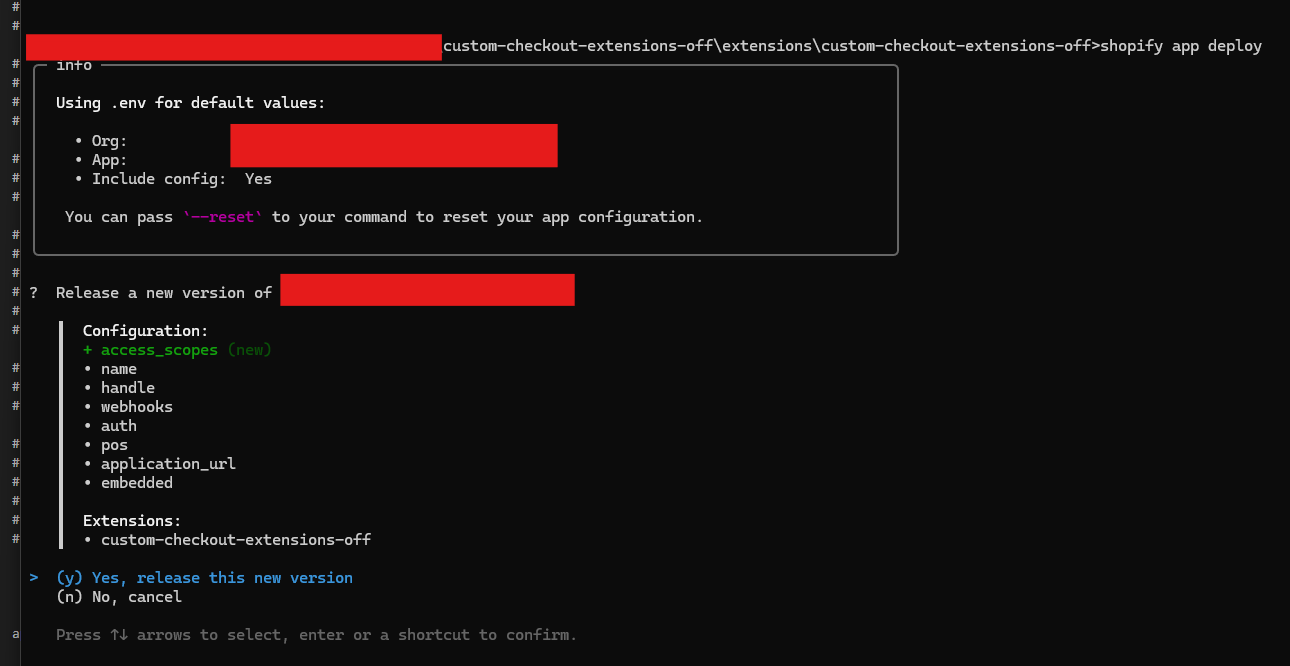
Thanks for reaching back out and looking into this. I just checked my shopify.extension.toml file, and confirmed that I don’t have any use_legacy_install_flow parameter listed. Here is the full process:
Note, I never updated my access_scopes. The only thing I’m doing is updating the API version I’m on from this line:
api_version = “2024-10”
to this:
api_version = “2025-07”
I just ran “shopify app deploy --verbose”. Can you send me your direct email and I can send you the full contents? I’d rather not post that in the forum here, but want to provide your team with as much information as possible.
One other note, when I did the same thing with my development app which is in draft mode, I did not receive this error. I am only receiving the error on my published app.
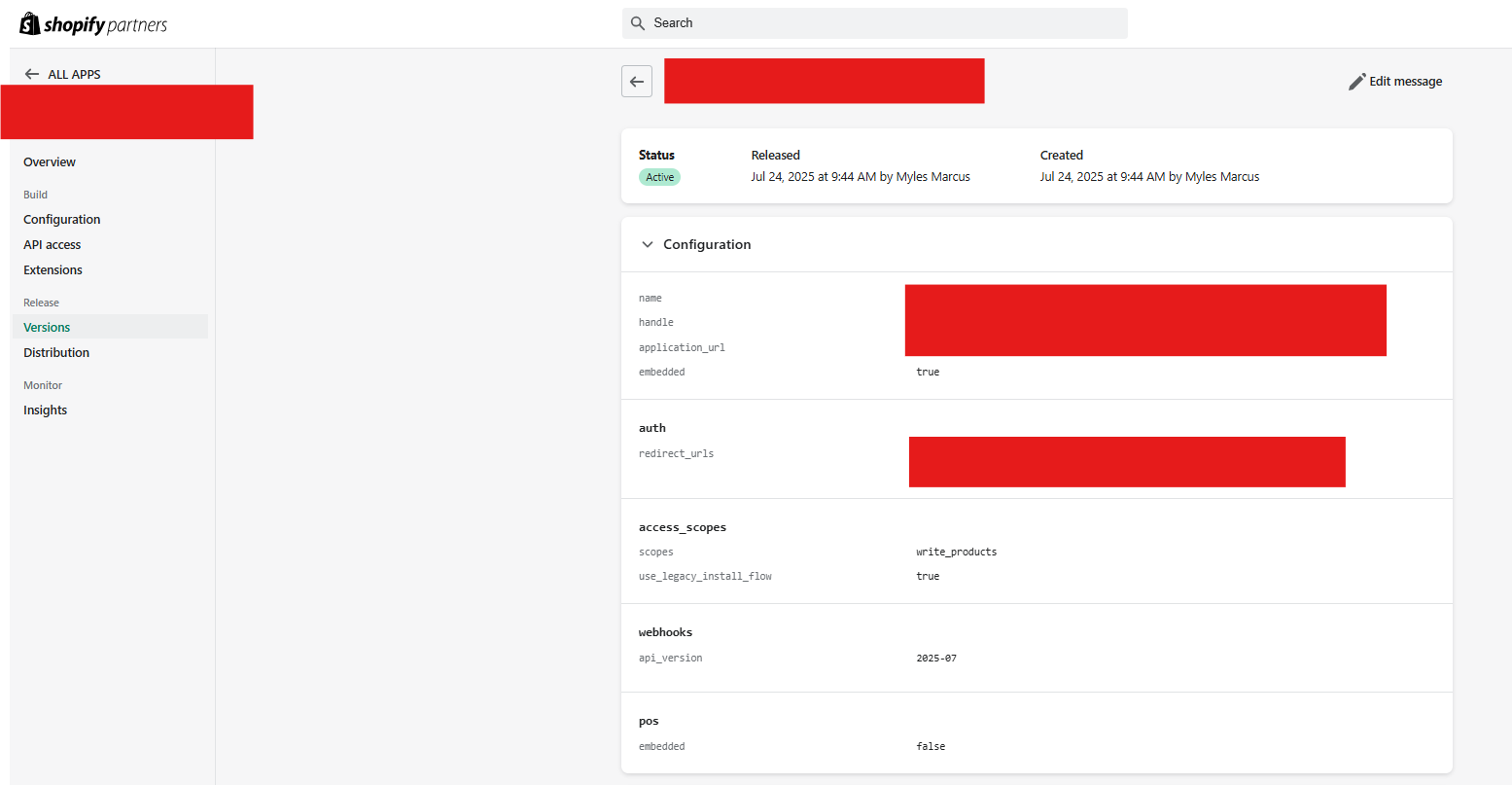
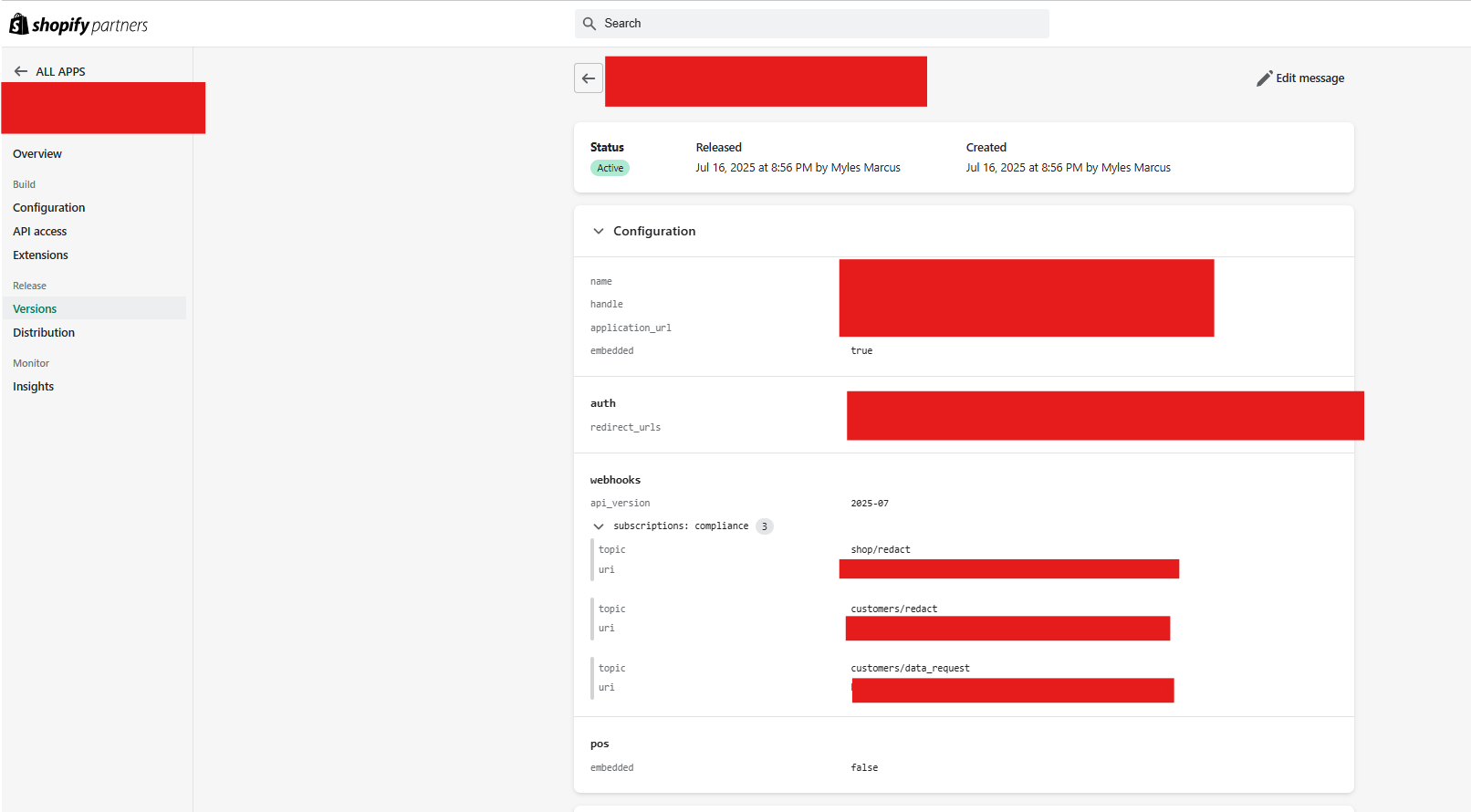
Also @Alan_G Something else that is weird. It’s not doing this now, but when I did it last week, even though it gave me the error on the published version of my app in the command prompt when trying to do “shopify app deploy”, I did see a new version pop up in the “Versions” section of my app on Shopify. What’s weird is that the shopify.extension.toml files are identical, yet the configuration listed is different. Here is the one for the development store:
Hi again @Myles_Marcus thanks for following up on this and for the screenshots of the different configs, that is definitely odd if the .toml configuration files weren’t changed between the deploys
I can’t share my email at the moment unfortunately, but I can set up a DM here in the forums which is more private if you’d like to share things that way. I’ll set that up on my end here and speak with you more through the DM. Speak soon!
Hi @Myles_Marcus and all - just wanted to follow up here in the public thread to let you know that we’ve pushed a potential fix for this - could you let me know if you’re still seeing the error. If so, I can follow up in our DMs, but just wanted to follow up with you here on this - hope this resolves things!
Thanks for confirming @sebastian.pisula - I’ll close out our thread here as solved, glad everything is working for you now! If I can help out further, just let me know
 thanks for following up on this and for the screenshots of the different configs, that is definitely odd if the .toml configuration files weren’t changed between the deploys