I’ve created custom discount functions for my Shopify app. Icons display correctly in the discounts list but don’t appear in the “Select discount type” modal when creating new discounts.
What’s Working:
- Icons show correctly in the main discounts list (see screenshot)

What’s NOT Working:
- Same discount types show no icons in the type selector modal (see screenshot)
- Only default gear icon appears
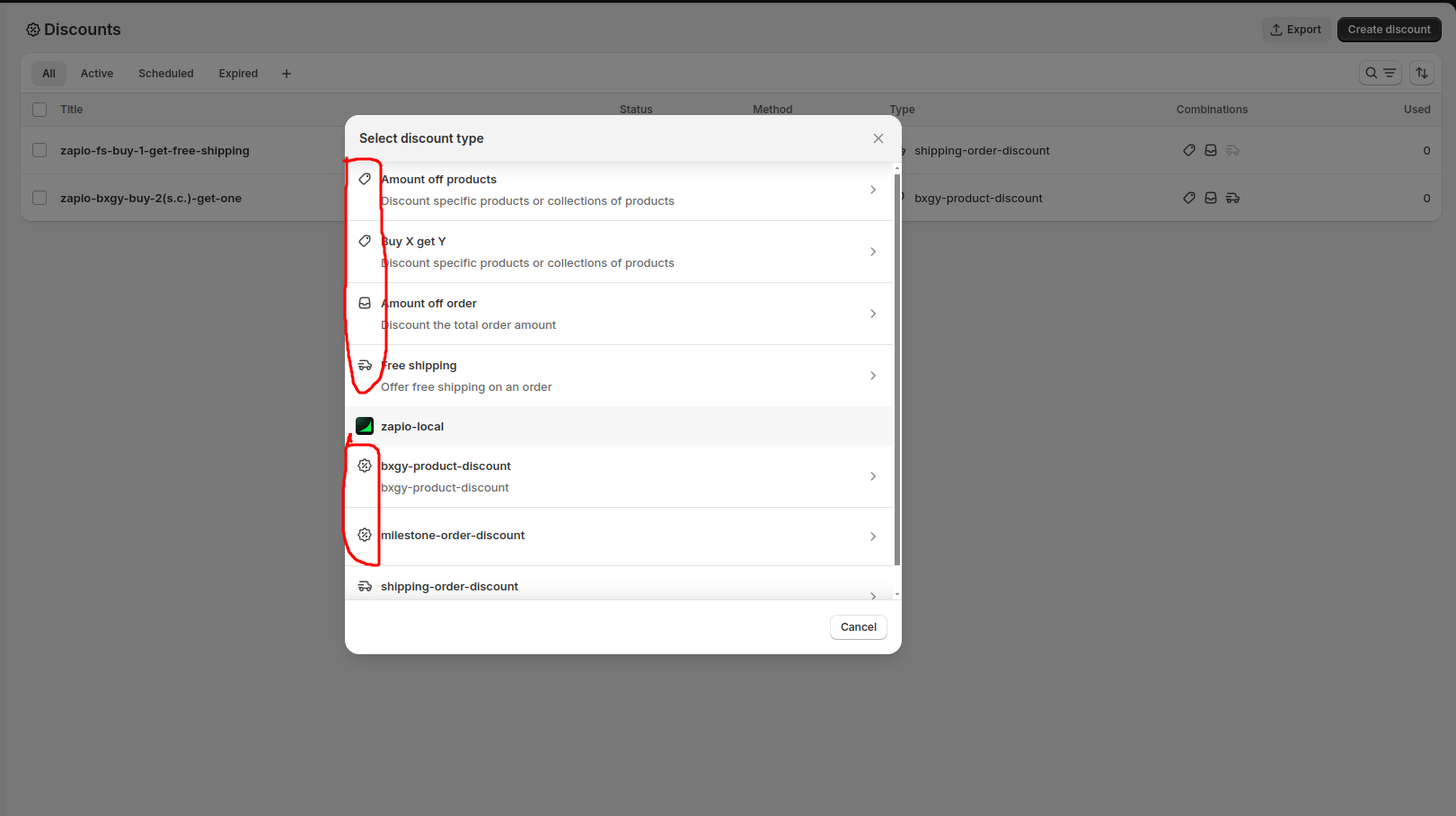
My Setup:
- Using Shopify Functions API
- Creating discounts via GraphQL
- Function types:
bxgy-product-discount,milestone-order-discount
Current shopify.extension.toml(bxgy-product-discount):
api_version = "2025-04"

[[extensions]]
name = "t:name"
handle = "bxgy-product-discount"
type = "function"
uid = "71834eed-6670-4c7f-52e7-b91ee0c293d281e8d27c"
description = "t:description"

  [[extensions.targeting]]
  target = "cart.lines.discounts.generate.run"
  input_query = "src/cart_lines_discounts_generate_run.graphql"
  export = "cart-lines-discounts-generate-run"

  [extensions.input.variables]
  namespace = "zapio"
  key = "function-configuration"

  [extensions.build]
  command = ""
  path = "dist/function.wasm"
Folder structure:

Note: bxgy-product-discount is a product discount
Questions:
- What configuration makes icons appear in the type selector specifically?
- Where should I define icons - in extension config, UI extension, or function metadata?
- Why do icons work in the list but not the modal?