Hi,
With GraphQL admin api, to update the customer marketing consent fields we have to use the specific mutations customerEmailMarketingConsentUpdate or customerSmsMarketingConsentUpdateas specified here
This is OK for single customer update, but for a bulk operation I cannot figure how to update consents on multiple customers at once.
Indeed, the customerEmailMarketingConsentUpdate or customerSmsMarketingConsentUpdatemutations are not listed in supported bulk operations and it doesn’t seem to be something missing in the document…
I tried various bulk run operation :
- Using a
customerUpdate mutation, but then it fails on process (even if the bulkOperation itself is COMPLETED without error  ) with error
 To update emailMarketingConsent, please use the customerEmailMarketingConsentUpdate Mutation instead which is in accordance with the customerUpdate documentation
- Trying to specify a
customerEmailMarketingConsentUpdate for example on bulkOperationRunMutation but as expected it fail at bulk operation level with error You must use an allowed mutation name (I tried with various alias without success)
I tested this on last versions of API, including instable, and I don’t see any change on this.
So here I am : How can we update customer marketing consent in bulk operation ? Is it even possible ?
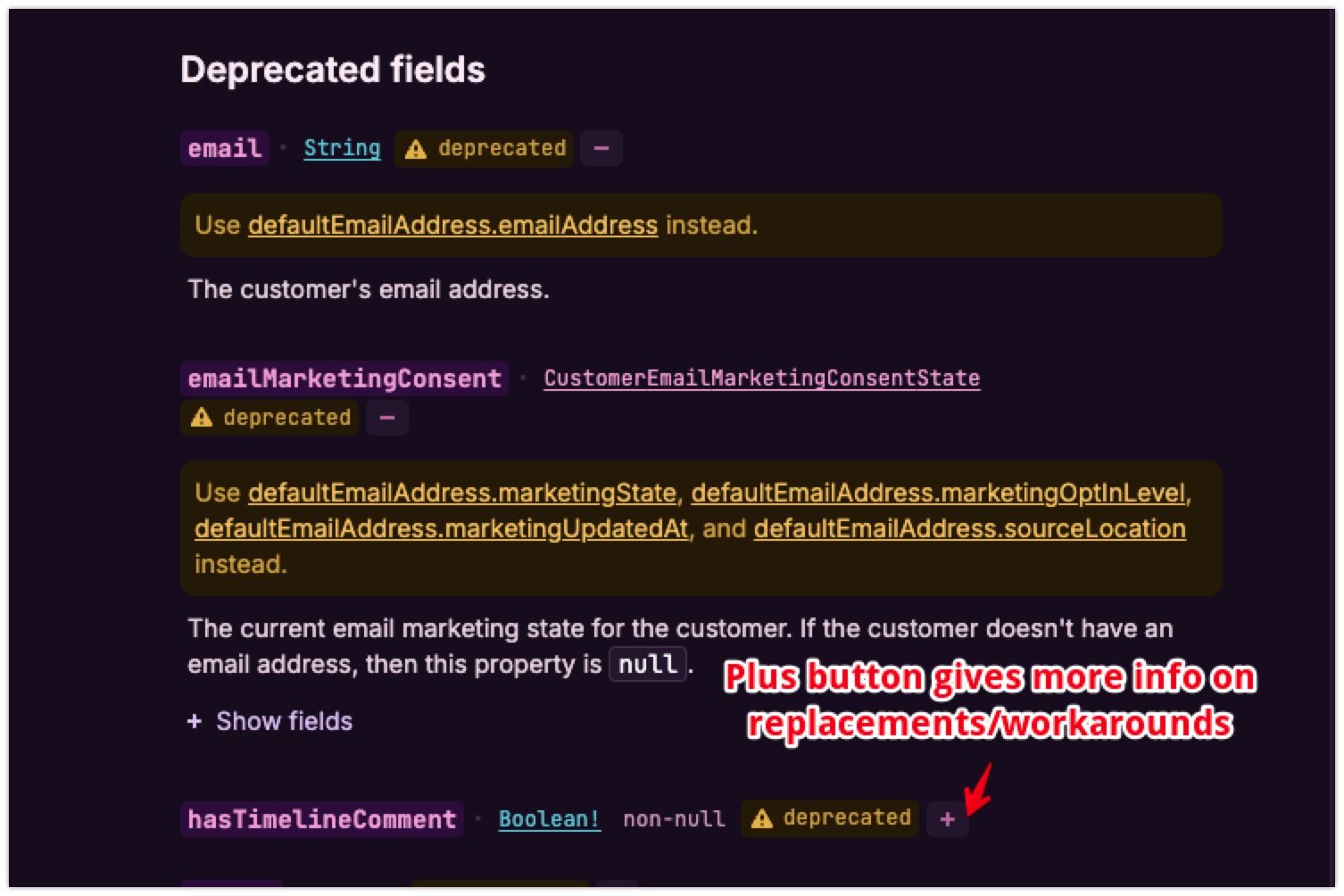
Is it also possible to have some clarification on deprecation status reported here on Customer type fields ? I don’t see any replacement nor explanation …
Thank you in advance for any help 
The shopify support agent confirms that it’s not possible.
How do I bulk update customer marketing consent in Shopify?
Shopify does not provide a direct built-in feature to bulk update customer marketing consent statuses through the admin interface. However, you can manage this by following these steps:
-
Export your customer list from your Shopify admin.
-
Edit the marketing consent fields in the CSV file to reflect the updated consent status.
-
Re-import the updated CSV file back into Shopify to update the customer profiles.
Keep in mind that only one email address can be associated with a customer profile, and you should ensure that the consent changes comply with privacy laws.
For more precise control or automation, consider using Shopify’s APIs or third-party apps designed for customer data and marketing consent management.
To access these options, log in to your Shopify admin and navigate to the Customers section to export and import customer data safely.
…
Here it’s through shop back office, and as an app developer on partner program, I cannot use this solution.
So it seems that indeed, it’s not possible to bulk update consent states on GraphQL API, and we are stuck to the single, rate-limited updates …
It could be great to add an explicit remark on documentation about that limitation
Regards
Hi @Emmanuel_Lecomte,
You are correct here in that the customerEmailMarketingConsentUpdate and customerSmsMarketingConsentUpdate mutations are not available for Bulk Operation Mutations unfortunately.
I can also confirm that while customerUpdate is available for Bulk Operation Mutations, the customerUpdate mutation itself can’t be used to update the marketing consent status, as it will return an error saying to use customerEmailMarketingConsentUpdate instead.
There is no other workaround to do this in bulk at this time, other than using regular API calls within the API rate limitations.
I do undrestand this is not ideal for your use case, and I will be submitting feedback on your behalf internally that you would like to see the customerEmailMarketingConsentUpdate and customerSmsMarketingConsentUpdate mutations available for Bulk Operations as well. While I can’t guarantee when or if it will be added, I can assure you that our developers and product managers do take all of our partner and merchant feedback into great value when determining future updates and changes to the platform.
As for the deprecations on the Customer object, more info on the deprecations including replacements can be found by clicking the plus button next to the deprecated field.

Please let me know if there’s any specific deprecated fields that you have questions about, and we can help further!
Hi @Emmanuel_Lecomte,
I just wanted to follow up here and see if my post above helped answer all your questions here. If there’s anything else I can help with, please do let me know, otherwise I’ll go ahead and mark this thread as solved for now.