Hi folks,
I’m running into an issue regarding the Shopify admin API and pricelist queries.
As of the recent markets update, Shopify markets can have one or many catalogs, and each catalog has a price list.
Within a pricelist, product variant prices can have an “origin type” of either “relative” or “fixed”
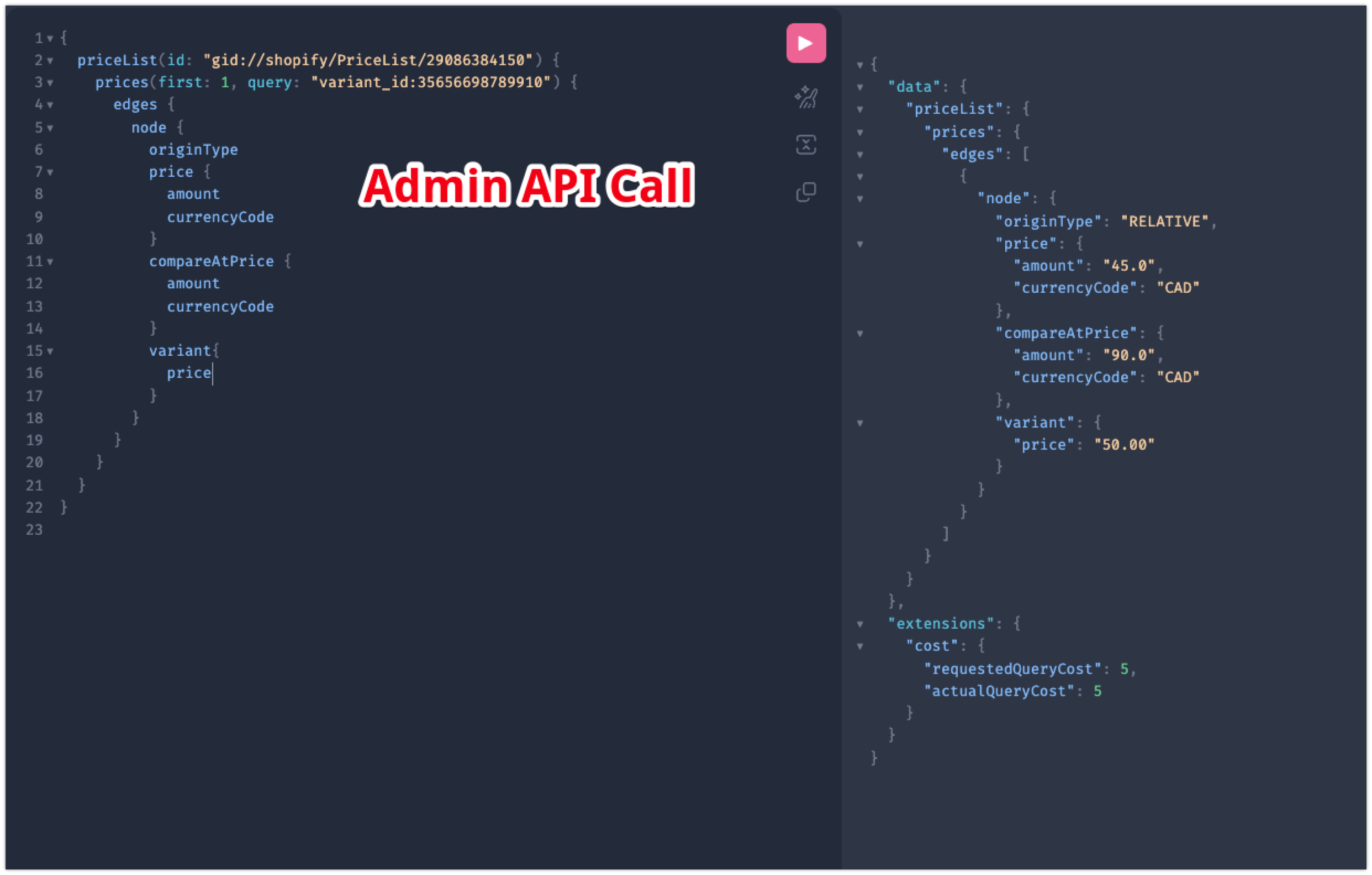
The Shopify API can be used to fetch this information with a query similar to the following:
        {
            priceList (id: "gid://shopify/PriceList/29936582814") {
                prices (first: 1, query: "variant_id:35724590514334") {
                    edges {
                        node {
                            originType
                            price {
                                amount
                                currencyCode
                            }
                            compareAtPrice {
                                amount
                                currencyCode
                            }
                        }
                    }
                }
            }
        }
The “amount” that is returned by the Shopify API can be a little tricky, because it doesn’t always match the value shown in the Shopify admin.
Here is an example:

The 30 / Indigo variant displays a price of 22.53 and is greyed out which indicates a “relative” price.
If I fetch the price using the price list query above however I will retrieve this information.
+"priceList": {#7176
        +"prices": {#7197
          +"edges": [
            {#7079
              +"node": {#7196
                +"originType": "RELATIVE",
                +"price": {#7190
                  +"amount": "30.62",
                  +"currencyCode": "CAD",
                },
                +"compareAtPrice": {#7193
                  +"amount": "34.02",
                  +"currencyCode": "CAD",
                },
              },
            },
          ],
        },
      },
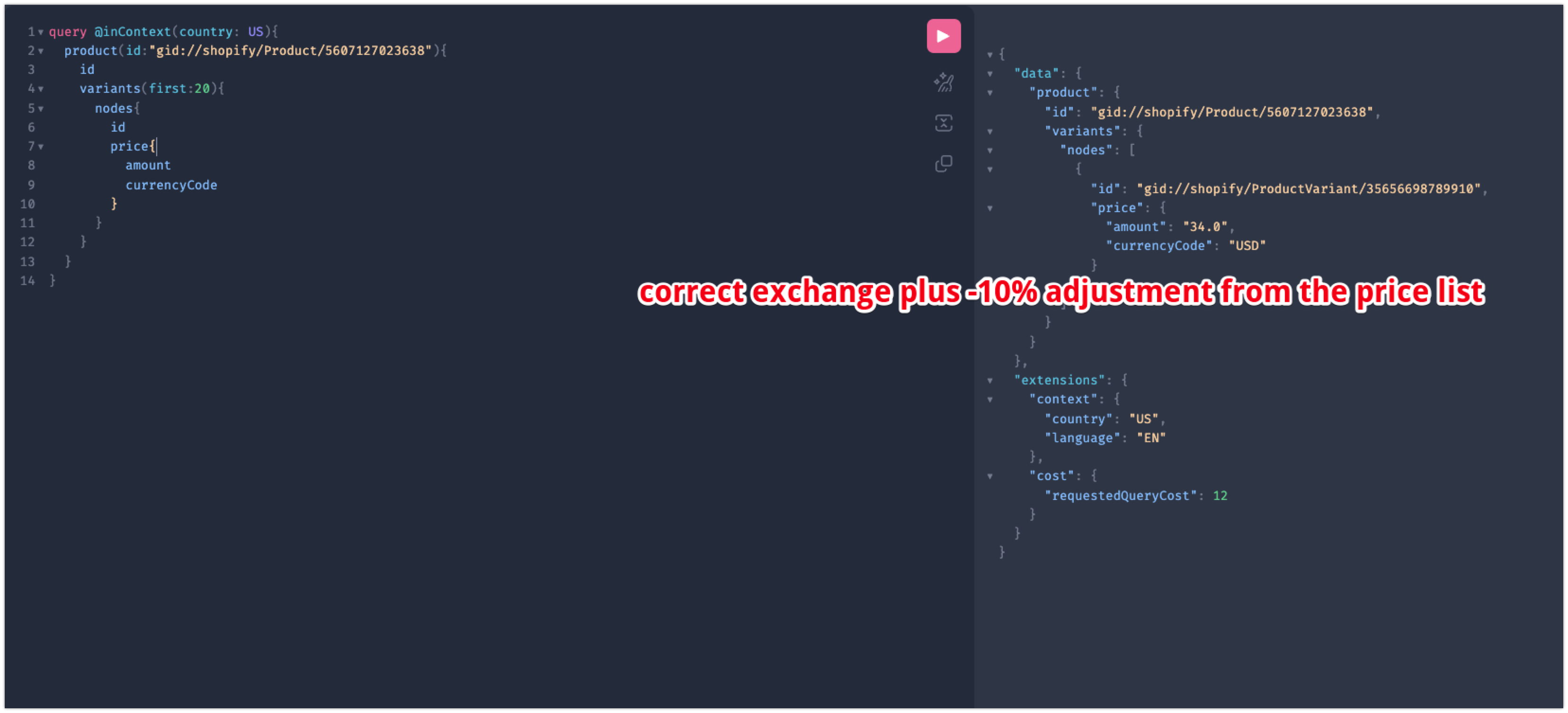
So the admin UI shows the prices in USD, while the API shows the prices in CAD which is the default currency of my store. If I perform a currency conversion I can see that these prices are equivalent, they are just displayed in a different unit of currency (And the Shopify conversion fee is also a factor as I understand)
If I change the price from relative to fixed and fetch the price again, now the result is different:

+"priceList": {#7215
        +"prices": {#7236
          +"edges": [
            {#7158
              +"node": {#7235
                +"originType": "FIXED",
                +"price": {#7229
                  +"amount": "22.0",
                  +"currencyCode": "USD",
                },
                +"compareAtPrice": {#7232
                  +"amount": "33.0",
                  +"currencyCode": "USD",
                },
              },
            },
          ],
        },
      },
    },
When the price is fixed the catalog currency is now used instead of the store default currency.
The above behaviour is what I have come to expect, however I am now finding that this behaviour is not always consistent.
I have a situation involving the following data:
Store ID: 77478658352
Market ID: 78914027824
Catalog ID: 97268171056
Price list ID: 37807161729
Product Variant ID: 54405774410113
For this situation, when I fetch the price with the query below:
        {
            priceList (id: "gid://shopify/PriceList/37807161729") {
                prices (first: 1, query: "variant_id:54405774410113") {
                    edges {
                        node {
                            originType
                            price {
                                amount
                                currencyCode
                            }
                            compareAtPrice {
                                amount
                                currencyCode
                            }
                        }
                    }
                }
            }
        }
I now get back this result:
+"priceList": {#6657
        +"prices": {#7520
          +"edges": [
            {#6653
              +"node": {#6665
                +"originType": "RELATIVE",
                +"price": {#6638
                  +"amount": "280.44",
                  +"currencyCode": "EUR",
                },
                +"compareAtPrice": null,
              },
            },
          ],
        },
      },
    },
In this case, the store default currency is EUR and the catalog currency is USD. This is a relative price so the result I get back looks to match the behaviour I have come to know.
The problem I am finding is that while the API is saying that the currency is EUR, the amount returned (280.44) is the actual USD value - in this case there appears to have been no currency conversion done which is not what I have come to expect.
What i would have expected is since the price shown to US customers is about 280.44, the EUR amount returned for the relative price should have been about 238.80
Can anyone please help me better understand how Shopify’s price list system works in detail? Is this a bug or are there additional technical details which I am missing?
Thanks