Hi,
Here’s the scopes of my app:
shopify.app.toml: scopes = “read_products,read_orders,read_customers,read_analytics”
However, in the Installation screen it says “View and edit store data”:
But in the about page of my installed app, it clearly states that I only view the data:
Is this a Shopify issue or am I doing something wrong?
Hey @panos_supersell_club, can you share a little more context on your current deployment? Is the version that you have deployed currently the one with only the READ scopes? If you install on a new test store, do you see the same?
Can you run this query in the GraphQL Admin API and share what scopes it returns?
{
  currentAppInstallation {
    accessScopes {
      handle
    }
  }
}
This will show us exactly what permissions your app currently has, which will help us figure out where the disconnect is.
Hi Kyle!I
The app’s status is Draft and it is installed on a dev store I made.
I’ve only made one version so far and it is the one that is installed.
I just created another dev store; clicked to install the app to the new store via the Dev dashboard’s app screen. The installation in the new dev store screen again shows the exact same text as the screenshot in my first comment and says “View and edit store data”
Here’s what I got when I ran the query:
{
“data”: {
“currentAppInstallation”: {
“accessScopes”: [
{
“handle”: “read_analytics”
},
{
“handle”: “read_customers”
},
{
“handle”: “read_orders”
},
{
“handle”: “read_products”
}
]
}
},
“extensions”: {
“cost”: {
“requestedQueryCost”: 2,
“actualQueryCost”: 2,
“throttleStatus”: {
“maximumAvailable”: 2000,
“currentlyAvailable”: 1998,
“restoreRate”: 100
}
}
}
}
Let me know if you’d like me to provide you with anything else.
Panos
I tested here with an app with identical scopes as you have shared, and this is what I’m getting. Could you check your developer dashboard and share the scopes as they appear in your current deployment? Are they different than above? Have you ever had write scopes as part of your app?
Hey Kyle!
You’re right. The scopes of the app in the dev dashboard have only write products
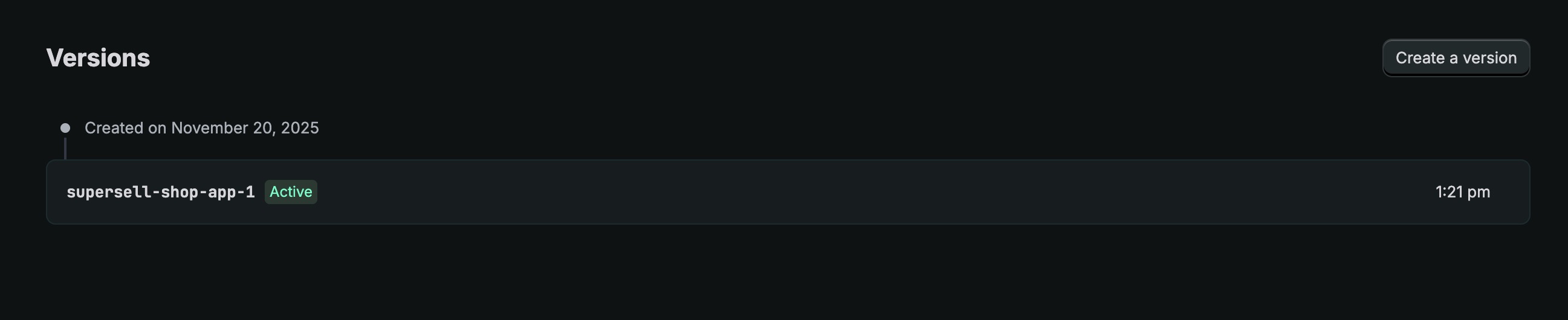
Which is a bit confusing because I only have one version:
But when I check the installed app on the dev store, I see this in terms of scopes:
Which reflect my shopify.app.toml settings (I’ve also requested “Protected customer data access” and “Read all orders scope” via the Shopify Partners app page):
I went ahead and deployed a new version of the app and now the installation screen reflects the scopes of my .toml file:
I assume the Remix scaffolding creates the app version with write_products scope but for whatever reason, if I just update the scopes in the .toml file, the new scopes are reflected in the About screen of the installed app in the store but the app Installation screen always shows the scopes of the app version? That’s what it looks like and got me confused.
Is it because the .toml file had the include_config_on_deploy = true setting in it?
Thank you so much for taking the time to look into it and for helping me out!
Hey @panos_supersell_club, your assessment is right.
What likely happened is when you updated your .toml file to read-only scopes, those changes were automatically applied to your dev store during app dev (which is why the About screen showed correct permissions and your GraphQL query returned only read scopes). However, the installation screen references your deployed app version’s configuration, which still had write_products until you ran shopify app deploy again.
This is controlled by the include_config_on_deploy setting in your TOML file. When set to true, your deployed app versions include your TOML configuration as a snapshot. Changes made locally during development are auto-applied to your dev store, but don’t affect the deployed version configuration until you explicitly deploy. The installation flow reads from that deployed version’s configuration to determine what scopes to request.