Product updated webhook not sent after collection change

Hi there,

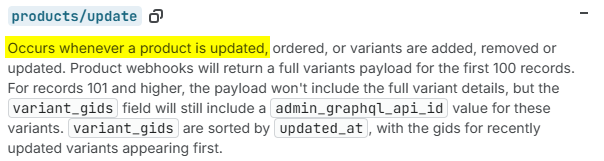
when updating the collections of a product (adding a new one, deleting an existing one…) from the Shopify Admin, no “products/update” webhook is sent, which does not meet the documentation at Webhooks :

After editing the product collections, the merchant needs to click on the “save” button of that product page, so we can consider they are indeed editing the product but no webhook is sent.

Please could you take a look?

Kind regards

1 Like

Hey @sinuhe, I ran a similar test on my end.

After adding a product to a collection and saving, the updated_at timestamp updated and the products/update webhook fired successfully. Your assumption is correct that the webhook should fire when collections are modified, so it’s unexpected that you’re not receiving it.

To help narrow this down, can you share a bit more context about your webhook setup? Specifically, how you’ve subscribed to the webhook (via API, store admin, or app configuration) and whether this is happening consistently across multiple shops or if it’s isolated to a single store.

Hi @KyleG-Shopify , thanks for the response.

The webhooks have been created via GraphQL API.

I have been testing in several development stores and the behavior is strange. It seems webhooks work after editing collections the first time in a product (I am testing by adding/removing collections from the product edition page in the Shopify Admin zone), but when doing it again, the webhook is not fired. I have tried several times in several products.

When editing any other field (description, title, tags… whatever), the webhook is always received as expected, no matter how many times I do it. But when editing collections, it is not.

Anyway, even in case it worked, there is a more important problem: the webhook payload does not contain the collections, which is strange and does not meet the documentation at Webhooks, where the link to the product resource does contain collections.

Please, could you take a look again to the webhooks firing and also include collections in the webhook payload?

Kind regards

Hey @sinuhe, I was able to replicate this and found the issue. Collection changes actually don’t trigger products/update webhooks.

What’s happening is the Admin UI is auto-assigning a product category when you add the collection, and that category change is what fires the webhook.

When I tested adding a product to a collection via the productUpdate API with only collectionsToJoin, the products/update webhook didn’t fire. The product’s updatedAt timestamp didn’t change and the category field stayed null.

When I added a collection through the Admin UI, both webhooks fired because the Admin set the product category from null to "Uncategorized" (gid://shopify/TaxonomyCategory/na).

You can confirm this by checking the Network tab in your browser console when saving. The mutation payload includes productCategory.

Hi @KyleG-Shopify ,

I understand your tests. What it is not clear for me is: is this the expected behavior (which would not be very intuitive and does not mean the official documentation)? Or is it something you will fix?

Beyond these questions, could you please include collections in the product webhook payload (as documented)?

Kind regards

This would be expected behaviour currently. I will put this through as a feature request to include with productUpdate mutations.

Regarding the example payload, our docs here show the currently expected payload: Webhooks

{
  "admin_graphql_api_id": "gid://shopify/Product/788032119674292922",
  "body_html": "An example T-Shirt",
  "created_at": null,
  "handle": "example-t-shirt",
  "id": 788032119674292922,
  "product_type": "Shirts",
  "published_at": "2021-12-31T19:00:00-05:00",
  "template_suffix": null,
  "title": "Example T-Shirt",
  "updated_at": "2021-12-31T19:00:00-05:00",
  "vendor": "Acme",
  "status": "active",
  "published_scope": "web",
  "tags": "example, mens, t-shirt",
  "variants": [
    {
      "admin_graphql_api_id": "gid://shopify/ProductVariant/642667041472713922",
      "barcode": null,
      "compare_at_price": "24.99",
      "created_at": "2021-12-29T19:00:00-05:00",
      "id": 642667041472713922,
      "inventory_policy": "deny",
      "position": 1,
      "price": "19.99",
      "product_id": 788032119674292922,
      "sku": null,
      "taxable": true,
      "title": "Small",
      "updated_at": "2021-12-30T19:00:00-05:00",
      "option1": "Small",
      "option2": null,
      "option3": null,
      "image_id": null,
      "inventory_item_id": null,
      "inventory_quantity": 75,
      "old_inventory_quantity": 75
    },
    {
      "admin_graphql_api_id": "gid://shopify/ProductVariant/757650484644203962",
      "barcode": null,
      "compare_at_price": "24.99",
      "created_at": "2021-12-29T19:00:00-05:00",
      "id": 757650484644203962,
      "inventory_policy": "deny",
      "position": 2,
      "price": "19.99",
      "product_id": 788032119674292922,
      "sku": null,
      "taxable": true,
      "title": "Medium",
      "updated_at": "2021-12-31T19:00:00-05:00",
      "option1": "Medium",
      "option2": null,
      "option3": null,
      "image_id": null,
      "inventory_item_id": null,
      "inventory_quantity": 50,
      "old_inventory_quantity": 50
    }
  ],
  "options": [],
  "images": [],
  "image": null,
  "media": [],
  "variant_gids": [
    {
      "admin_graphql_api_id": "gid://shopify/ProductVariant/757650484644203962",
      "updated_at": "2022-01-01T00:00:00.000Z"
    },
    {
      "admin_graphql_api_id": "gid://shopify/ProductVariant/642667041472713922",
      "updated_at": "2021-12-31T00:00:00.000Z"
    }
  ],
  "has_variants_that_requires_components": false,
  "category": null
}
Ok @KyleG-Shopify ,

thanks for the response… although the expected behavior does not make complete sense from my point of view. I mean, it is true that the payload is that way according to de documentation, but it is also true that the documentation says that the webhook resource is “product” (with a link to the GraphQL product object, Product - GraphQL Admin ), which includes collections.

In the end, there is a big gap between the system objects (GraphQL format) and the webhook payloads (still deprectaed REST format). Could it be possible al least to include collections in the webhook payload whatever the format?

Thanks.

Hey @sinuhe, I agree the documentation could me more clear here and I’ll pass on that feedback for you regarding the link to the graphql product Object and to request collection fields added to the products update webhook.

To remove all doubt, the JSON payload that you see in the Webhooks reference docs currently is what you can expect to have returned with each webhook event.

In your case, the collections update webhook would trigger on products added and removed from collections. The products themselves aren’t included in the payload of that webhook, but you can use that as a trigger to query for the product if needed.