However, even though my variant meets those conditions (as shown in the screenshot), the value of available is still false, which causes the button to display “Sold Out.”
Since Inventory not tracked, I don’t think that’s the cause of the issue (this pass inventory_management condition). The logic for disabling the button varies across themes, so I could intervene and fix it for the client. However, I don’t want to do that. I’d prefer to understand the root cause of this issue.
I’ve found the cause. For stores with multiple locations, when creating a product via the Admin GraphQL API, it only adds inventory to the default location. However, there’s no option to specify a location during creation. My product doesn’t have any variants (it uses the default variant).
Right now, I can use the inventoryActivate mutation to add the product to a location after creating it.
Is there a quick way to add or assign the location?
I’d be happy if you could suggest a better way to handle this.
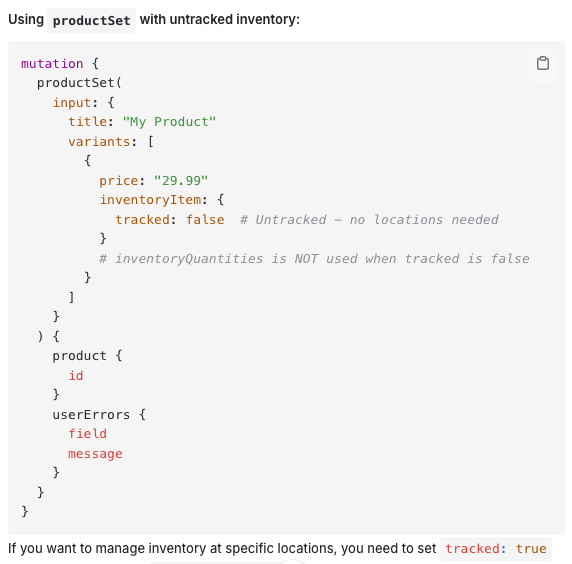
Thanks for this solution. But locationId in variant.inventoryQuantities field. My product is not tracked and this make inventoryQuantities is not used and my product use default variant
This approach will make the code a bit messy ~~