Hey, we have access to create with the new Shopify redeemable payment extension.
Right now, we are creating the basic configuration to try seeing the extension UI during checkout.
We defined the payment gateway for the app:
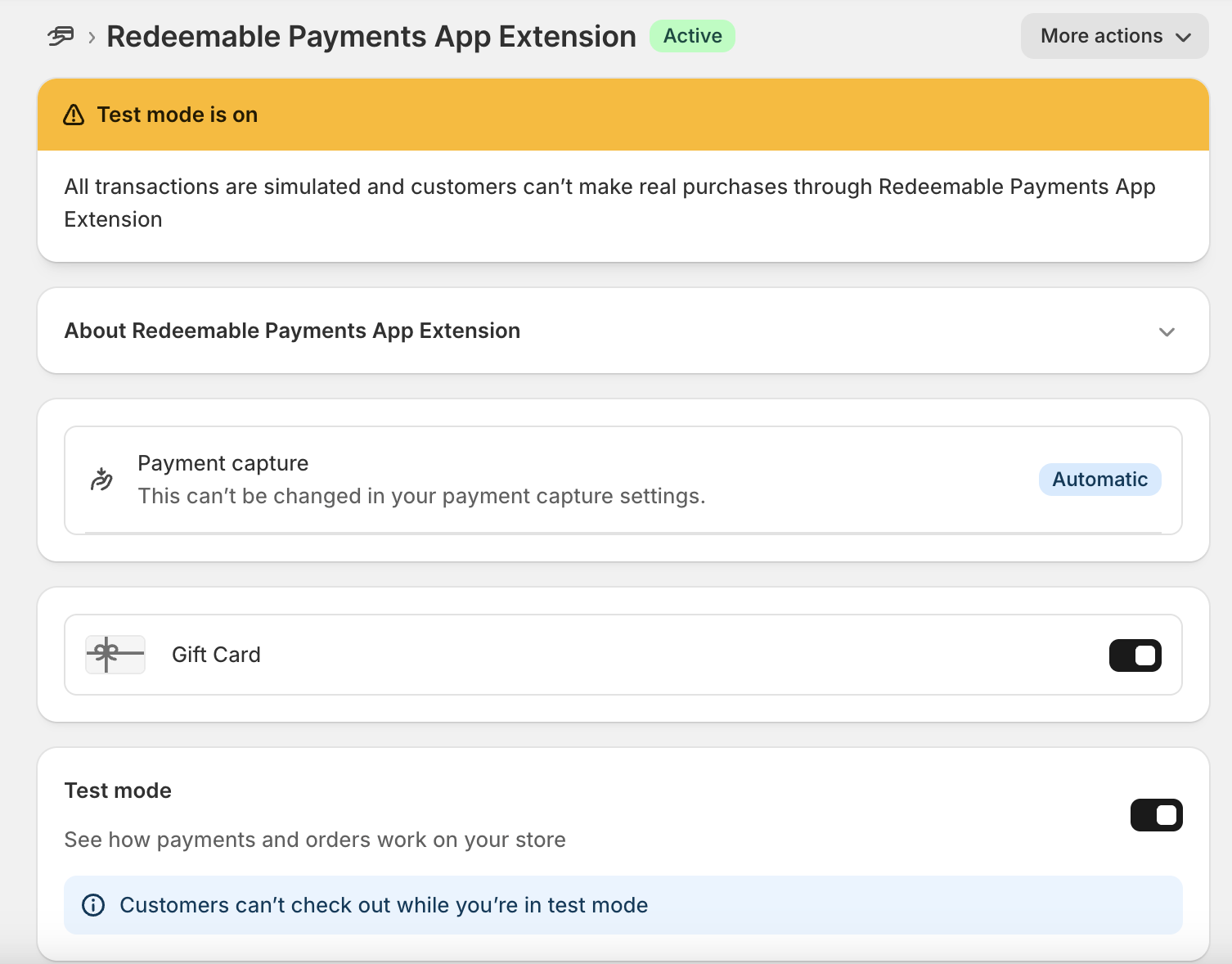
We created the Redeemable payment extension with this toml settings:
# The version of APIs your extension will receive. Learn more:
# https://shopify.dev/docs/api/usage/versioning
api_version = "2025-10"

[[extensions]]
name = "redeemable-test"
handle = "redeemable-test"
type = "payments_extension"
uid = "97e68081-faf0-0d95-a88e-2a869f199a6858663552"

payment_session_url = "https://29ed3284aa7e.ngrok-free.app/api/checkout/redeemable/payment"
balance_url = "https://29ed3284aa7e.ngrok-free.app/api/checkout/redeemable/balance"
refund_session_url = "https://29ed3284aa7e.ngrok-free.app/api/checkout/redeemable/refund"

# List of ISO 3166 (alpha-2) country codes your app is available for installation by merchants. Learn more:
# https://www.iso.org/iso-3166-country-codes.html
supported_countries = ["IL", "US"]
# List payment method names that your payment extension will support. Learn more:
# https://github.com/activemerchant/payment_icons/blob/master/db/payment_icons.yml
supported_payment_methods = ["gift-card"]
test_mode_available = true
supports_installments = true
supports_deferred_payments = true

merchant_label = "Redeemable Payments App Extension"

buyer_label = "Test"
# [[extensions.buyer_label_translations]]
# label = "translation"
# locale = "fr"

# [[extensions.buyer_label_translations]]
# label = "translation"
# locale = "da"

# UI Extension
ui_extension_handle = "redeembale-payments-ui"

[[extensions.checkout_payment_method_fields]]
key = "bank_name"
type = "string"
required = true

[[extensions.checkout_payment_method_fields]]
key = "account_number"
type = "string"
required = false

[[extensions.targeting]]
target = "payments.redeemable.render"
The checkout extension UI toml that is connected to the redeemble extension:
# Learn more about configuring your checkout UI extension:
# https://shopify.dev/docs/api/checkout-ui-extensions/latest/configuration

# The version of APIs your extension will receive. Learn more:
# https://shopify.dev/docs/api/usage/versioning
api_version = "2025-10"

[[extensions]]
name = "Redeembale Payments UI"
handle = "redeembale-payments-ui"
type = "ui_extension"
uid = "a931319e-b4a0-9a11-f523-9a635da652c2dafb33ca"

# Controls where in Shopify your extension will be injected,
# and the file that contains your extension’s source code. Learn more:
# https://shopify.dev/docs/api/checkout-ui-extensions/latest/extension-targets-overview

[[extensions.targeting]]
module = "./src/Checkout.tsx"
target = "purchase.checkout.gift-card.render"

[extensions.capabilities]
# Gives your extension access to directly query Shopify’s storefront API.
# https://shopify.dev/docs/api/checkout-ui-extensions/latest/configuration#api-access
api_access = true

# Gives your extension access to make external network calls, using the
# JavaScript `fetch()` API. Learn more:
# https://shopify.dev/docs/api/checkout-ui-extensions/latest/configuration#network-access
# network_access = true

# Loads metafields on checkout resources, including the cart,
# products, customers, and more. Learn more:
# https://shopify.dev/docs/api/checkout-ui-extensions/latest/configuration#metafields

# [[extensions.metafields]]
# namespace = "my_namespace"
# key = "my_key"
# [[extensions.metafields]]
# namespace = "my_namespace"
# key = "my_other_key"

# Defines settings that will be collected from merchants installing
# your extension. Learn more:
# https://shopify.dev/docs/api/checkout-ui-extensions/latest/configuration#settings-definition

# [extensions.settings]
# [[extensions.settings.fields]]
# key = "banner_title"
# type = "single_line_text_field"
# name = "Banner title"
# description = "Enter a title for the banner"
The code for the checkout UI extension:
import '@shopify/ui-extensions/preact';
import { render } from 'preact';
import { useCallback, useState } from 'preact/hooks';

export default async () => {
	render(<Extension />, document.body);
};

function Extension() {
	const [bankName, setBankName] = useState('');
	const [accountNumber, setAccountNumber] = useState('');
	const [loading, setLoading] = useState(false);
	const { applyRedeemableChange } = shopify;

	function handleSubmit() {
		setLoading(true);
		applyRedeemableChange({
			type: 'redeemableAddChange',
			attributes: [
				{ key: 'bank_name', value: bankName },
				{ key: 'account_number', value: accountNumber },
			],
			identifier: bankName,
		})
			.then((result) => {
				if (result.type === 'success') {
					// Reset form fields on success
					setBankName('');
					setAccountNumber('');
				} else {
					// Handle error - don't reset fields
					console.error('Failed to apply redeemable:', result.message);
				}
			})
			.catch((error) => {
				console.error('Error applying redeemable change:', error);
			})
			.finally(() => {
				setLoading(false);
			});
	}

	const handleBankNameChange = useCallback((event) => {
		const target = event.target;
		setBankName(target.value);
	}, []);

	const handleAccountNumberChange = useCallback((event) => {
		const target = event.target;
		setAccountNumber(target.value);
	}, []);

	const isFormValid = bankName.length > 0 && accountNumber.length > 0;

	return (
		<s-form onSubmit={handleSubmit}>
			<s-text-field
				label="Bank Name"
				name="bank_name"
				value={bankName}
				onInput={handleBankNameChange}
			/>
			<s-text-field
				label="Account Number"
				name="account_number"
				value={accountNumber}
				onInput={handleAccountNumberChange}
			/>
			<s-button type="submit" disabled={!isFormValid || loading}>
				{loading ? 'Applying...' : 'Apply'}
			</s-button>
		</s-form>
	);
}
The checkout extension UI is working correctly with different targets, but when setting the required redeemble extension target - “purchase.checkout.gift-card.render”, we do not see the UI at all in the checkout:
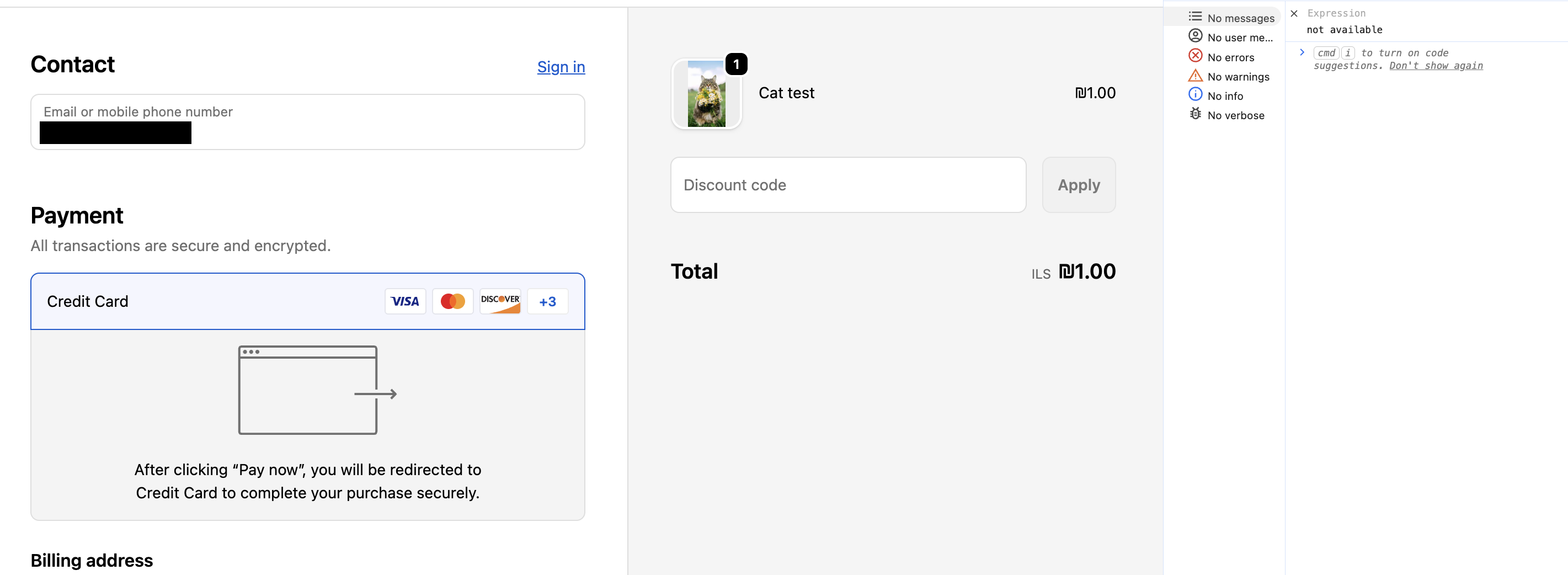
In this view above, we are running the application locally and accessing the checkout UI preview.
When saving changes in the code of the Checkout.tsx, we see in the Chrome console that the extension is not found with sourcemap:
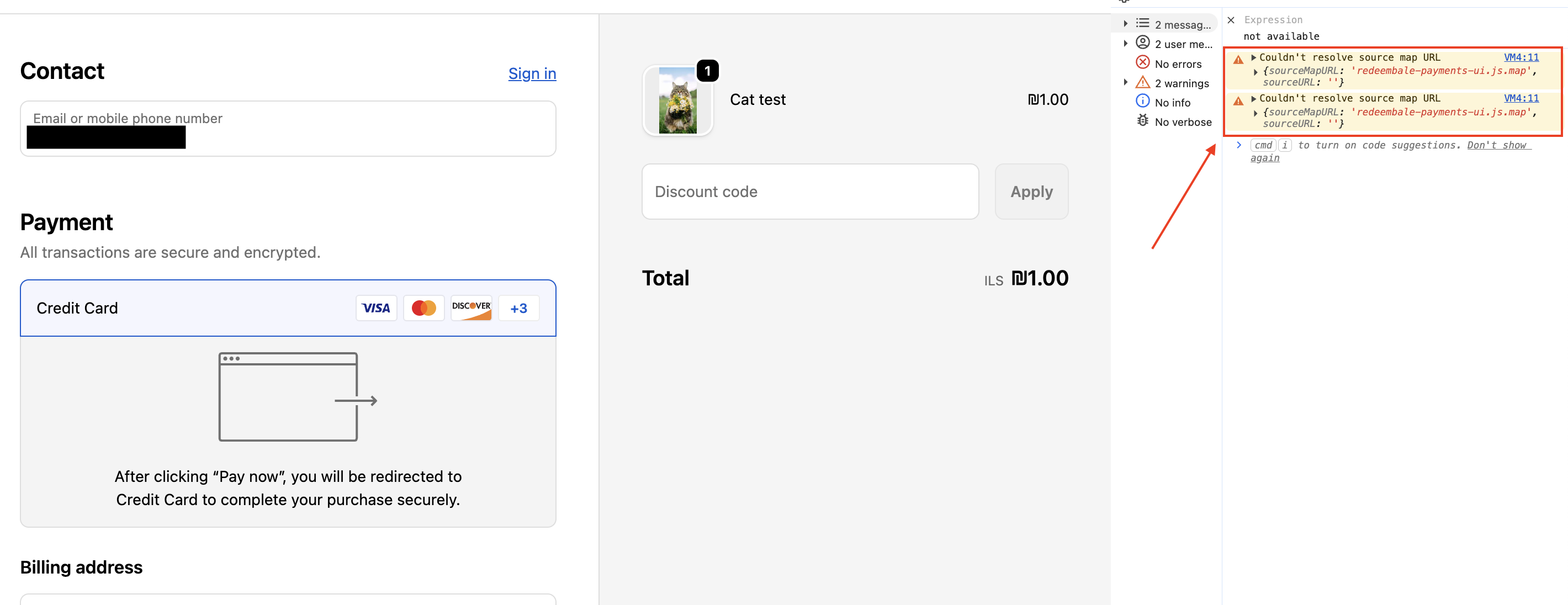
We understand that this payment extension is quite new, could this issue come from Shopify’s side somehow?
@thomas-m I saw that you answered here, so maybe you could help here too?