shopify.idToken() does not resolve. My embedded check for app review is struck because of user session for authemnetication
Can you give more details? Do you have AppBridge implementation auth code you can share?
shopify admin hits my backend fast api server endpoint
@router.get("/")
async def root(request: Request):
    """
    Embedded Shopify app entry point.
    - Verify HMAC from Shopify
    - Set __session cookie with Shopify's id_token
    - Redirect to app using App Bridge
    """
    params = dict(request.query_params)
    logger.info(f"Shopify root endpoint accessed with params: {params}")

    # If no params, return health check
    if not params:
        return {"message": "Shopify endpoints are operational"}

    # Extract required parameters
    shop = params.get('shop')
    host = params.get('host')
    id_token = params.get('id_token')

    if not all([shop, host, id_token]):
        raise HTTPException(
            status_code=400,
            detail="Missing required parameters: shop, host, id_token"
        )

    # 1. Security Check - Verify HMAC (Mandatory for App Store)
    if not ShopifyService.verify_oauth_callback(params, settings.SHOPIFY_API_SECRET):
        logger.warning(f"HMAC verification failed for shop: {shop}")
        raise HTTPException(status_code=401, detail="HMAC verification failed")

    logger.info(f"HMAC verified for shop: {shop}")

    # 2. Set Content-Security-Policy header
    csp_value = (
        f"frame-ancestors https://{shop} https://admin.shopify.com; "
        f"script-src 'self' https://cdn.shopify.com https://shopifycloud.com 'unsafe-inline'; "
        f"connect-src 'self' https://*.shopify.com https://shopifycloud.com; "
        f"default-src 'self' https://cdn.shopify.com https://shopifycloud.com"
    )
    headers = {
        "Content-Security-Policy": csp_value
    }

    # 3. Build App Bridge HTML response
    content = f"""
    <!DOCTYPE html>
            <html>
                <head>
                    <meta name="shopify-api-key" content="e052c55adca4f52dc49d79a87748dc68" />
                    <script src="https://cdn.shopify.com/shopifycloud/app-bridge.js"></script>
                </head>
                <body>
                    <script>
                        window.location.href = "https://admin.getcommi.com/shopify-login?shop={shop}&host={host}&token={id_token}";
                    </script>
                </body>
            </html>
    """

    # 4. Create response and set __session cookie
    response = HTMLResponse(content=content, headers=headers)

    # Set Shopify's id_token as __session cookie
    # This is what shopify.idToken() will read
    response.set_cookie(
        key='__session',
        value=id_token,  # Use Shopify's id_token directly
        httponly=True,
        secure=True,
        samesite='none',
        path='/',
        max_age=86400,  # 24 hours
    )

    logger.info(f"Session cookie set for shop: {shop}")

    return response
my backend server then renders next js frontend
"use client";

import React, { useContext, useEffect, useState } from "react";
import { useAppBridge } from "@shopify/app-bridge-react";
import { ShopifyLoginContext } from "@/context/shopifyLoginContext";
import { useSearchParams } from "next/navigation";

export default function ShopifyAppBridgeProvider({ children }: { children: React.ReactNode }) {
    const [isReady, setIsReady] = useState(false);

    useEffect(() => {
        // Poll for the App Bridge global (loaded via script tag) and set ready when present
        const interval = setInterval(() => {
            if (typeof window !== "undefined" && (window as any).shopify) {
                setIsReady(true);
                clearInterval(interval);
            }
        }, 50);

        return () => clearInterval(interval);
    }, []);

    if (!isReady) {
        return <div>Loading Shopify App Bridge...</div>;
    }

    return <AppContent>{children}</AppContent>;
}

function AppContent({ children }: { children: React.ReactNode }) {
    // Now safe to call useAppBridge because the global is available
    const { getShopifyConnection } = useContext(ShopifyLoginContext);
    const shopify = useAppBridge();
    const searchParams = useSearchParams();

    // Optionally expose or log the app bridge instance for debugging
    console.log('App Bridge instance from provider:', shopify);

    useEffect(() => {
        let mounted = true

        const fetchSecureData = async () => {
            if (!shopify) return
            console.log('attempting to get token')

            // Fallback: try idToken if available on the app instance
            if (typeof shopify?.idToken === 'function') {
                try {
                    console.log('attempting fallback shopify.idToken()')
                    const token = await shopify.idToken()
                    console.log('got token from idToken()', token)
                    const shop = searchParams.get('shop') || ''
                    getShopifyConnection({ shop, token })
                } catch (err2) {
                    console.error('fallback idToken failed', err2)
                }
            }

        }

        if (shopify) fetchSecureData()

        return () => { mounted = false }
    }, [shopify])
    console.log(document.querySelector('meta[name="shopify-api-key"]')?.content);
    return <>{children}</>;
}
also root layout of my frontend has
import type { Metadata } from 'next'
import "bootstrap/dist/css/bootstrap.min.css";
import './globals.css'
import CommonLayout from '../layout/CommonLayout';
import '@fontsource/inter';
// import {ClientToast} from './ClientToast'
import { Baloo_2, Lato } from "next/font/google";

const baloo = Baloo_2({
  subsets: ["latin"],
  weight: ["400", "500", "600", "700"],
  display: "swap",
  variable: "--font-baloo",
});

const lato = Lato({
  subsets: ["latin"],
  weight: ["300", "400", "700"],
  display: "swap",
  variable: "--font-lato",
});

export const metadata: Metadata = {
  title: 'Commi',
  description: 'Whatsapp business growth engine',
}
export default function RootLayout({
  children,
}: {
  children: React.ReactNode
}) {
  return (
    <html lang="en" style={{ backgroundColor: 'white' }}>
      <head>
        {/* 1. Mandatory Meta Tag */}
        <meta name="shopify-api-key" content="e052c55adca4f52dc49d79a87748dc68" />
        <script dangerouslySetInnerHTML={{
          __html: `
          const urlParams = new URLSearchParams(window.location.search);
          const shop = urlParams.get('shop');
          if (shop) {
            const meta = document.createElement('meta');
            meta.name = 'shopify-shop-domain';
            meta.content = shop;
            document.getElementsByTagName('head')[0].appendChild(meta);
          }
        `}} />
        {/* 2. Official CDN Script (Loads window.shopify) */}
        {/* App Bridge must be loaded on the client after hydration. Use Next Script to ensure it loads after interactive. */}
        <script
          src="https://cdn.shopify.com/shopifycloud/app-bridge.js"
          async={false}
        />

        <meta name="shopify-disabled-features" content="auto-redirect" />
      </head>
      <body className={`${baloo.variable} ${lato.variable}`}>

        <script async defer crossOrigin="anonymous" src="https://connect.facebook.net/en_US/sdk.js#version=v20.0&appId=1209927870022883&xfbml=true&autoLogAppEvents=true"></script>
        <CommonLayout>
          {children}
          {/* <ClientToast/> */}
        </CommonLayout>
      </body>
    </html >
  )
}

@Syed_Nadeem can you double check the configured api_key for to make sure you have the right app? If the idToken request is hanging it’s possible that there’s something wrong with the config.
@Trish_Ta i believe client_id is the api key

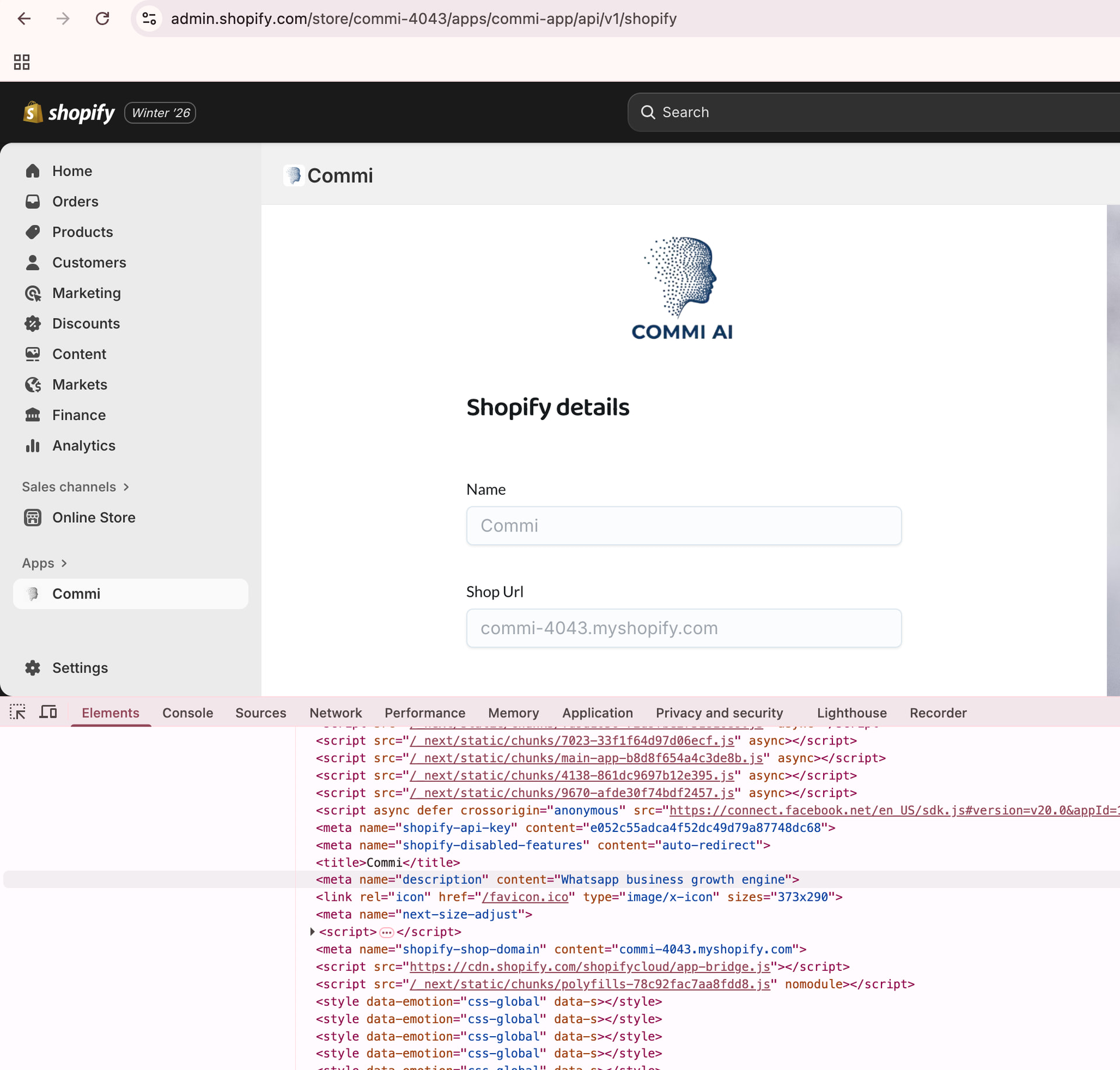
Great, glad you were able to fix this.
Yes, the meta tag containing your app public client ID needs to be available on page load, it cannot be client side rendered.