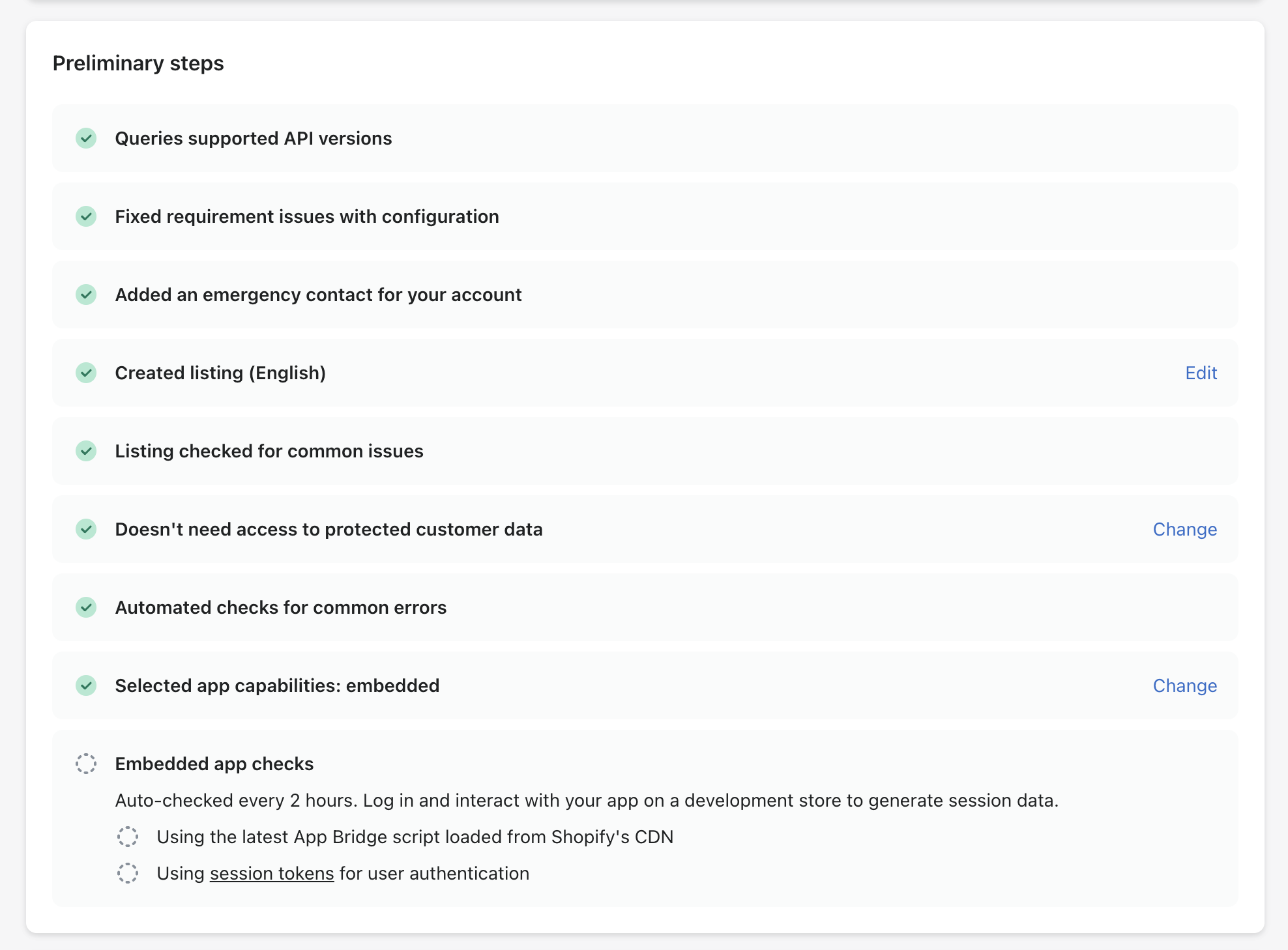
Stuck on Embedded app checks

Hello, I have a problem with the Embedded app checks, that are not being triggered.
App id: 256809402369 (already deployed to production).
The template is the latest remix app starer template, generated using the CLI.

Latest app bridge is installed.
After days it still not trigger the checks.

Can’t submit the app, obviously :slight_smile:

Since support is not helpful I’ll drop a post here

@Liam-Shopify or @NickWesselman maybe you can help on this? :folded_hands:

already using the latest app bridge (via cdn), but still stuck, can’t complete the submit

Hi @nktznl

Just to confirm - have you interacted with this app recently via a dev store?

Hi @Liam-Shopify, thanks.

Correct, I’ve tested the app a lot in the last days, with multiple dev stores.

DMing you for more details

Hi Liam, seems solved without edits from my side, but it took 8+ days to trigger those checks.

@Liam-Shopify @Harshdeep-Shopify I’m facing the same issue — I’m stuck at the embedded app checks. How can I implement App Bridge via CDN?
Currently, I’m using the following App Bridge npm packages:

  • "@shopify/app-bridge": "^3.7.10"

  • "@shopify/app-bridge-react": "^3.7.0"

I can’t upgrade these packages because I’m using an older React version (React 16). What can I do in this situation?

Now I have read about it that we can’t use older version packages in order to pass Embedded app checks so now i have removed both packages and now i m using CDN link something like this in my index.html file

<meta name="shopify-api-key" content="%REACT_APP_SHOPIFY_PLUGIN_KEY%" />

<script src="https://cdn.shopify.com/shopifycloud/app-bridge.js"></script>

But when i insert these lines of code i m getting 404 error inside Shopify Iframe , I m using React 16 version what can be the issue ?

when i have inspected the page i m getting this error , screenshot attached

Hey, I’m having the same issue. I’ve been waiting for 4 days to complete it.
Did you manage to fix it @Mohd_Faisal ? How did you manage to solve it @nktznl ?
I’m using the Remix template and “app-bridge-react”: “^4.1.6”.

So, you just waited and it was solved?

Hi I also have the same issue, tried different browsers and still not working. Any idea?

Please help! @Liam-Shopify @Harshdeep-Shopify

Sent you a DM @aihumanizer

Hey @Liam-Shopify could you share your answer please ? I am having the exact same issue, all automated checks works on my app except on “Using the latest App Bridge script loaded from Shopify’s CDN”. I am using package @shopify/app-bridge and everything works fine except this check.

Thank you

How are you importing the script in your index/layout file?

Hello, thanks for your answer, @Doug_P I am using it this way:

import createApp, { type AppConfigV2 } from ‘/app-bridge’
import { AppLink, NavigationMenu } from ‘/app-bridge/actions’

export default defineNuxtPlugin(async (nuxtApp) => {
  if (import.meta.client && window.parent !== window) {
    const $route = useRoute()
    const $router = useRouter()
    const $config = useRuntimeConfig()

    const shopify = createApp({
      apiKey: $config.public.shopifyApiKey,
      host: ($route.query.host as string) || '',
      forceRedirect: true
    } as AppConfigV2)

    nuxtApp.hook('app:mounted', () => {
      const t = (key: string) => (nuxtApp.$i18n as any).t(key)

      const links = [
        AppLink.create(shopify, { label: t('app.navigation.links'), destination: '/links' }),
        AppLink.create(shopify, { label: t('app.navigation.settings'), destination: '/settings' })
      ]
  
      const findActiveLink = (path: string) => 
        links.find(link => {
          const dest = link.options.destination
          return dest === path || (dest !== '/' && path.startsWith(dest))
        }) || links[0]
  
      const navigationMenu = NavigationMenu.create(shopify, { 
        items: links, 
        active: findActiveLink($route.path) 
      })
  
      $router.afterEach((to) => navigationMenu.set({ active: findActiveLink(to.path) }))
    })

    nuxtApp.provide('shopify', shopify)
  }
})

@Doug_P I have managed to fix this by removing the npm package `@shopify/app-bridge` and using the CDN instead, some changes where induced in order to replace all utilities from the package such as (getSessionToken, Navigation Action, Toast Action and so on…) :

<template>
  <ClientOnly>
    <UiAppNavigation />
    <NuxtPage />
    <ModalsDefault />
  </ClientOnly>
</template>

<script setup lang="ts">
const $config = useRuntimeConfig()
const { t } = useI18n()

useHead({
    title: t('app.title'),
    meta: [
        { name: 'shopify-api-key', content: $config.public.shopifyApiKey }
    ],
    script: [
        {
            src: 'https://cdn.shopify.com/shopifycloud/app-bridge.js',
            'data-api-key': $config.public.shopifyApiKey,
            tagPosition: 'head',
            async: false,
            defer: false
        },
        { src: 'https://cdn.shopify.com/shopifycloud/polaris.js' }
    ]
})
</script>

Thank you for you help.

1 Like