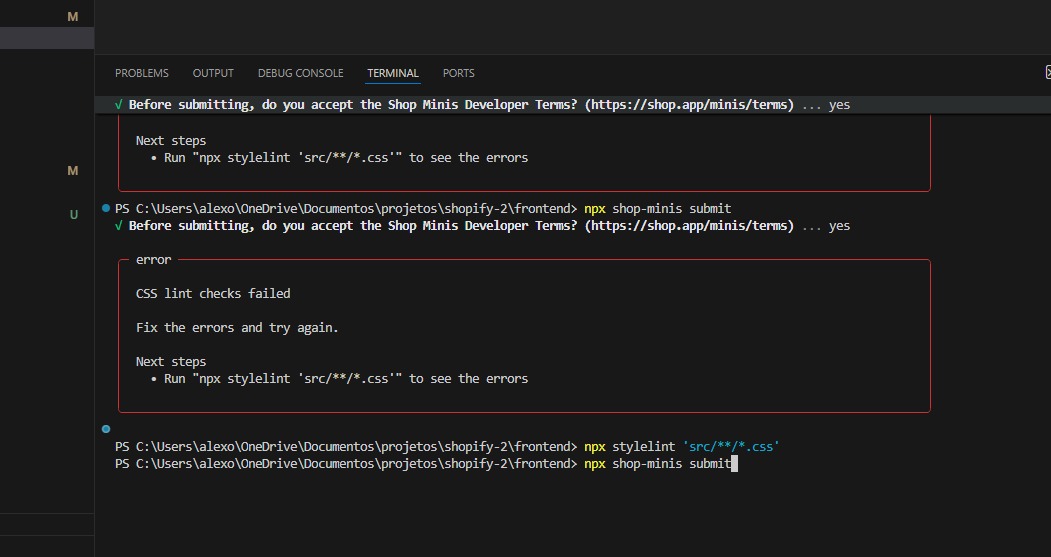
Hi all,
I have upgraded the cli and made a new submission and I get the following error:

using npx stylelint . gives me this error:
ConfigurationError: No configuration provided for E:\<my-mini-name>\AGENTS.md
    at getConfigForFile (file:///E:/<my-mini-name>/node_modules/stylelint/lib/getConfigForFile.mjs:76:9)
    at async isPathIgnored (file:///E:/<my-mini-name>/node_modules/stylelint/lib/isPathIgnored.mjs:23:17)
    at async lintSource (file:///E:/<my-mini-name>/node_modules/stylelint/lib/lintSource.mjs:43:20)
    at async file:///E:/<my-mini-name>/node_modules/stylelint/lib/standalone.mjs:250:27
    at async Promise.all (index 0)
    at async standalone (file:///E:/<my-mini-name>/node_modules/stylelint/lib/standalone.mjs:295:22)
any idea how to fix/ignore that?
I’ve also tried to make stylelint.config.js and ignore all rules and still get the same error above.
result of npx shop-minis doctor --verbose

Windows 11