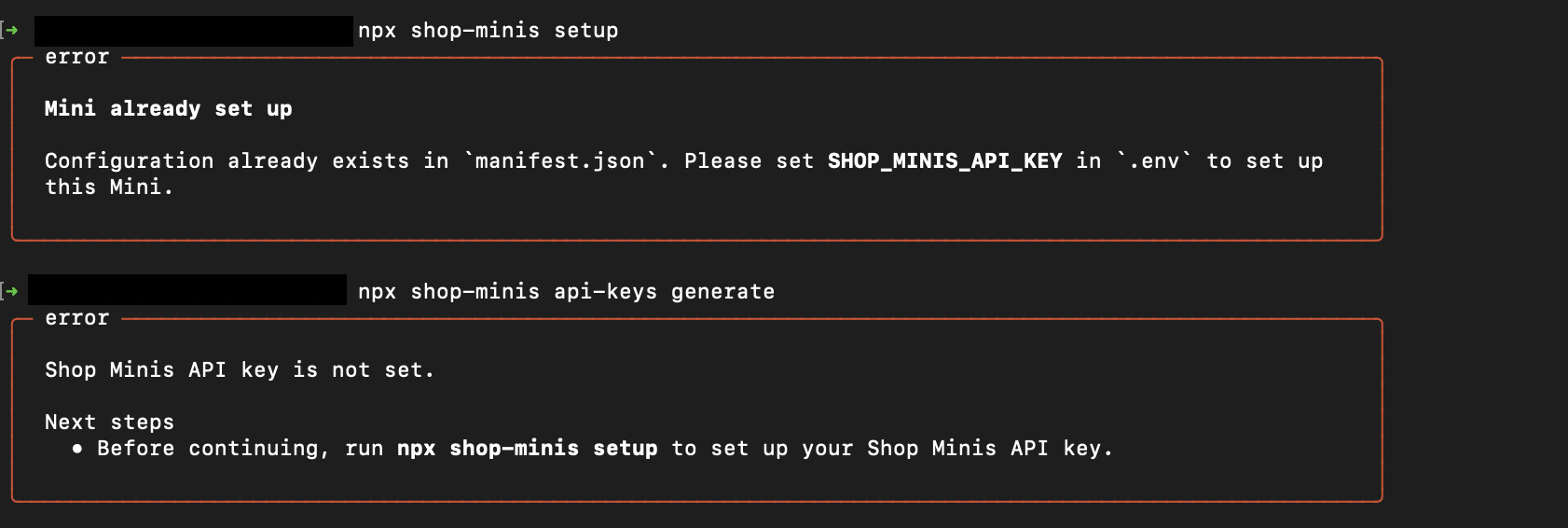
I am preparing my mini for submission. I am following every step but I am met with these errors. How do I get the api key? I read some people suggest to remove the handle from the manifest but I also saw member of the staff saying to not do this. Either way I need a solution for this please 
It is needed for authenticating your mini with your partner account. But not to be used for storing mini related info.
Yes I know why it is needed. But how do I set it up if none of the command works ? I can’t submit the mini without it as it has to be linked to the partner account
did you try recommended running
npx shop-minis setup ?
once it’s run, copy generated API key and paste into your .env file
if error try renaming manifest.json and running “setup” again.
I ended up emptying the manifest.json and tried the command again, it worked.
A lot of people were saying not to do that but that is the only way I got it to work.
Yes please don’t do this - you are creating duplicate minis which is causing further issues.
I could not find a solution anywhere and you are not giving me one either here. Maybe some info in the documentation regarding this issue could be a good idea.
Yes you are right that there’s no self-serve way to fix this right now - please contact us if you have lost the original key you got from npx shop-minis setup.
You may be able to recover it if the mini was generated originally on a different machine or by a coworker as it will still be in the .env file unless you explicitly removed it.