Hey folks,
We’re seeing an issue with the App Bridge navigation where Shopify links are opening blank windows.
Here’s an example of a component:
<s-button href="shopify://admin/products/8539783692546" target="_blank">
  View product
</s-button>
The button opens a new page with the link in the URL bar but the page stays empty. Same issue with app deep links.
This was tested and working on Friday.
Thanks for reporting. It has been fixed.
Hi @Henry_Tao ,
Thank you for the quick reply. I just re-tested – the buttons don’t work now. No tab opens at all, the click does nothing.
I’ve tested in incognito to make sure I was getting the latest version of the Polaris CDN.
Can you look into this?
May I know your app url (either app store link or api client id)? Also a quick steps to reproduce
If nothing opens, the new tab popup could be blocked by the browser. Maybe you can check the little icon the on right of the address bar
Turn your best UGC content, Reels, and TikToks into shoppable video carousels—right on your Shopify store. Unlimited views, and 100% free.
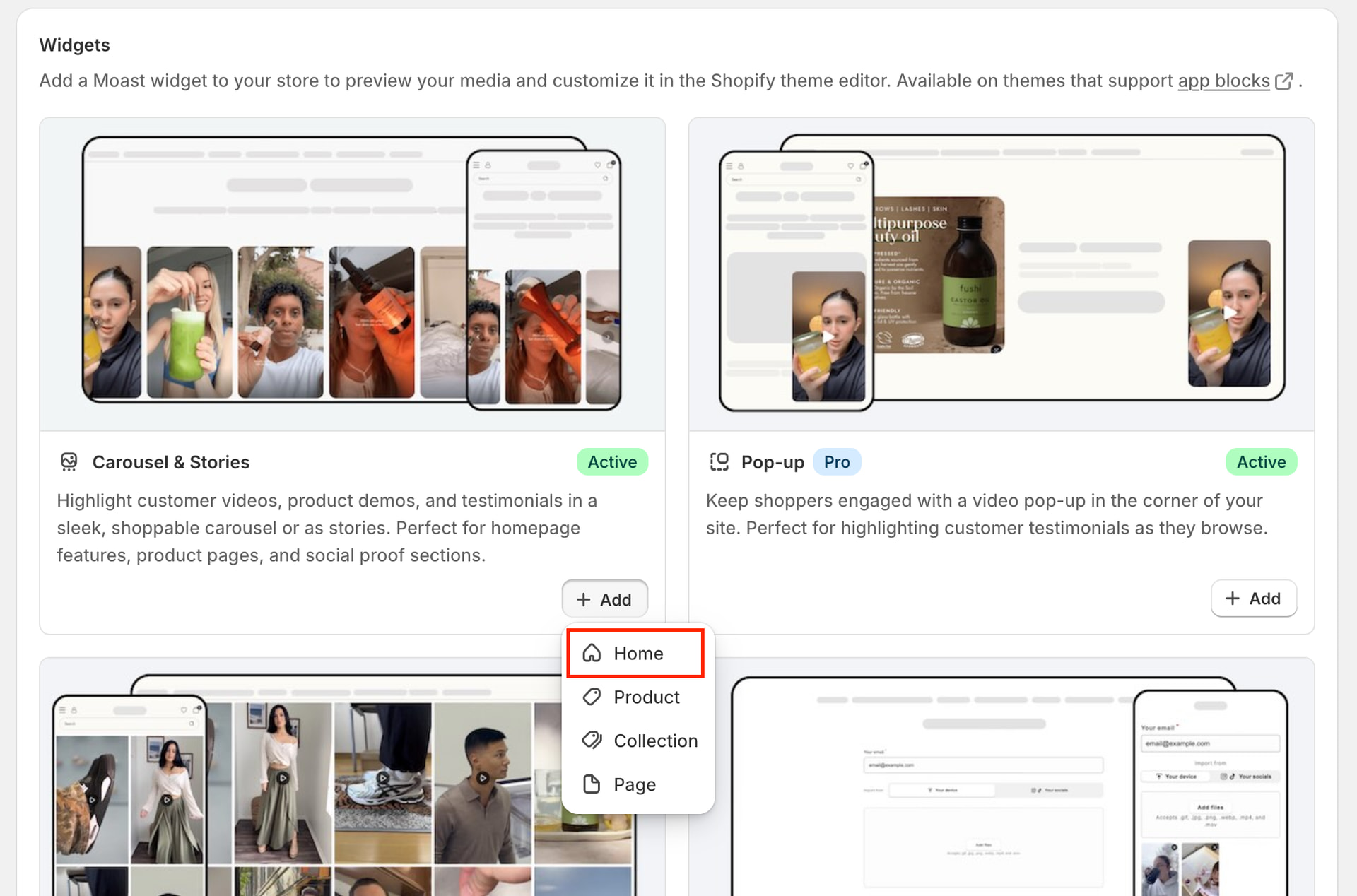
Steps to reproduce on our app:
Install the app
Click one of the buttons to add the app block to your theme:
You’ll notice the button does nothing.
On Friday, this would open in a new tab and add the app block. This morning it would open a blank page. Now nothing happens.
Tested on Chrome and Firefox in incognito.
@Henry_Tao When I added the target="_blank" property to the s-button component in my web inspector, it fixed the issue.
I think the previous version detected shopify:// links as external and treated them differently.
We’re pushing an update to add the target="_blank" to all Polaris links and buttons that are using a shopify:// link.
@Edi_Bouazza
You are correct. The previous version does not respect target. In this case, you can consider to use either target=”_blank” for new tab or target=”_top” for top level redirect.
Let’s push a fix on your end in this case. Thanks for reporting and following up.