Thanks for alerting us about this issue. We recently started locking down the available components based on the target to prevent unexpected errors. Technically Form isn’t supposed to be used in an Action extension. It’s meant to only be used within a Block extension to integrate with the Contextual Save Bar on the page (see docs). Our docs on the component itself didn’t make that very clear so we will be fixing that. In the meantime, we will be patching this issue and making Form available for Action targets again - I’ll update the thread when this has rolled out.
I’d like to learn more about how you were using the Form component in your extension though. Could you walk me through what you were doing with it?
Thank you for the update, @Trish_Ta! Really appreciate it
Please could you let me know when its rolled out, as I can then update my merchants as I’m anxious I’ve not been able to provide any more info to them.
In terms of use case, I’m a little surprised as I’d have thought Form in actions would be common use case, or at least in how my brain works
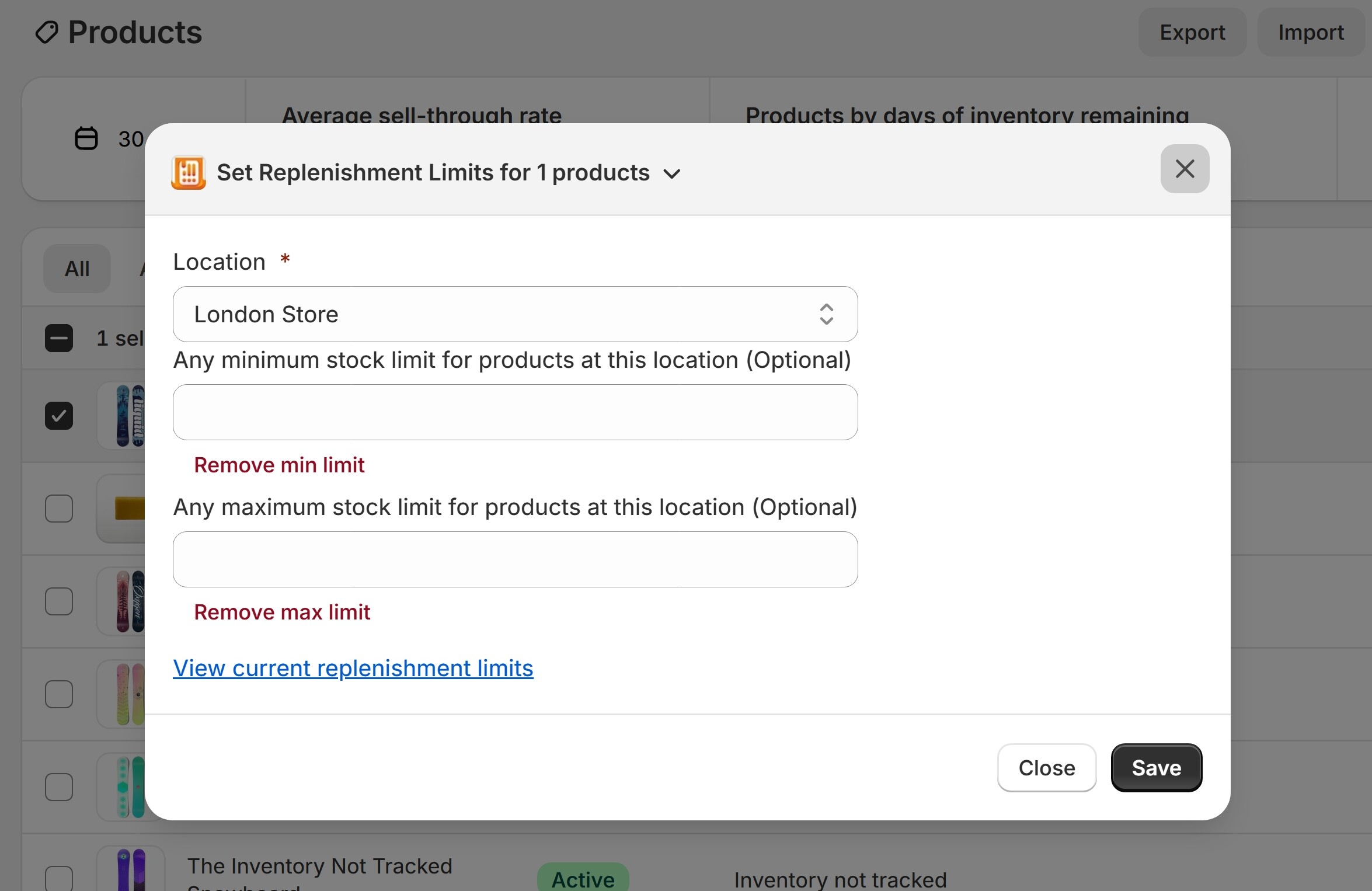
I have it on the product selection, you select the products you want to set a replenishment limit for and can set or edit these in bulk, across one or many products to speed up editing. A block wouldn’t work here as want merchants to be able to do it quickly across multiple products.
For example image of my action below or video of how it works.
I’ve also made a custom refund portal, triggered from More Actions on an order because then you are in the context of the order but are taking potentially single time action which you wouldn’t want displayed in a block all the time.
It’s also a similar pattern to how Shopify has add tags set up on orders, or cancelling an order currently so thought it was safe to adopt.
@JordanFinners I just want to clarify that form elements like text fields, number fields and etc… will work without being inside the Form component. For your use case you can simply delete the <Form> component around your inputs and everything should still work. The Form component’s only purpose is to integrate with page’s the Contextual Save Bar which isn’t even visible while a modal is opened. In addition, the Contextual Save Bar isn’t present at all on list views like the one shown in your video.
Ohhh I see, I was using the form component just because that’s what I expected from HTML Spec when using forms/inputs. I know its JSX so doesn’t need to confirm to HTML semantics but thought it’d be best practice.
Yes, that’s a very reasonable assumption. However, the current Form element doesn’t render an HTML form element right now so it essentially does nothing. Block extensions are already rendered inside of the parent page’s form so it’s already semantically correct.
We don’t have plans on removing the patch at this time. Just an FYI that starting on October 1st we will be releasing Polaris web components for UI extensions which will provide type safety at the component level for each target (see docs). If you switch to using 2025-10 (totally optional) you will see type errors when trying to use the s-form custom element because it’s not available for action targets. The extension should still compile and run even with the type errors.