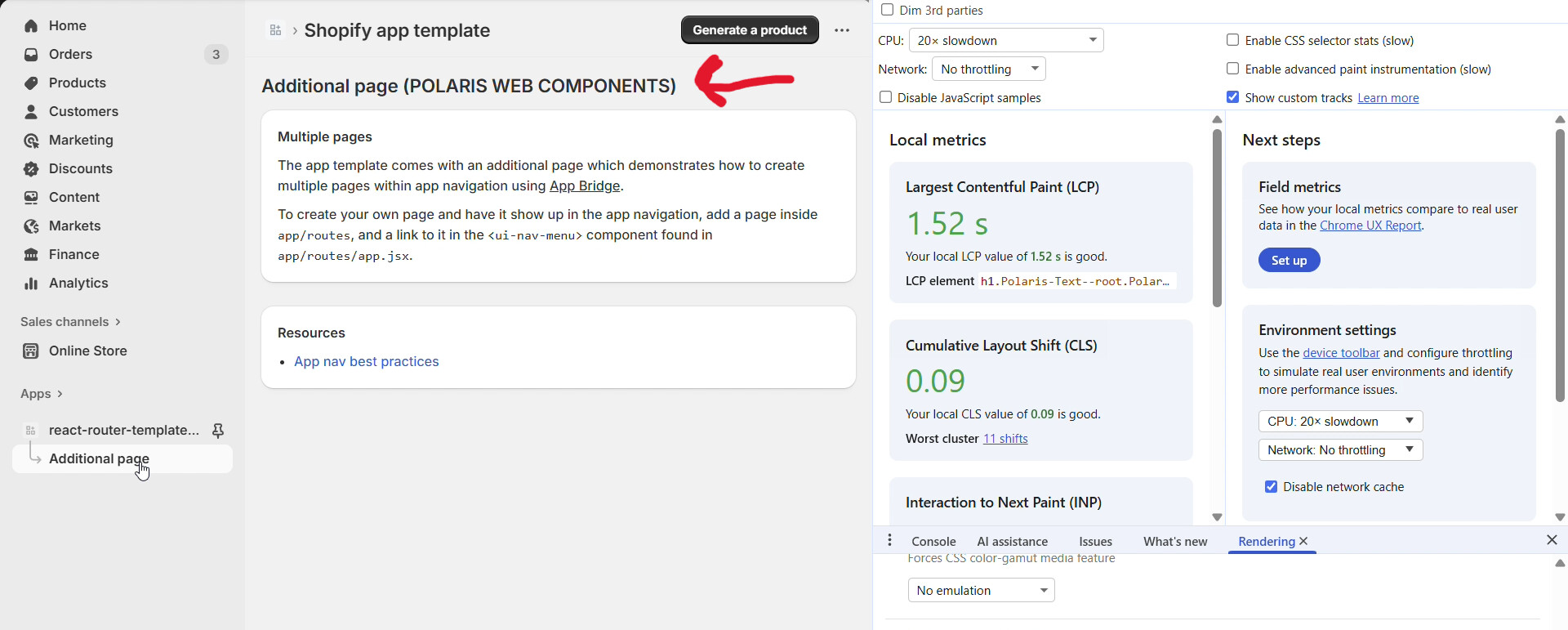
Polaris web components, at least in this minimal example, appear to flicker on page transitions when doing client-side navigation. I scaffolded an app using the react router template and set it up to be able to use both polaris web and react components (following this guide from shopify: Using both Polaris web components Polaris React · Shopify/shopify-app-template-react-router Wiki · GitHub).
I am using the “Additional Page” to demonstrate. Notice the flickering that occurs when navigating to the “Addtional Page” when using polaris web components and the lack of flickering when using polaris react. To see the difference between the two, I simply commented out the code in app.additional.tsx and replaced it with the polaris react implementation. I will include imgur video links in the steps below.
Steps to Reproduce
- Scaffold an app using the react router template
shopify app init --template=https://github.com/Shopify/shopify-app-template-react-router - Run the app using
shopify app dev. The following video link shows what the transition to “Additional Page” looks like when using polaris web components:
Polaris Web Components
Here is also whatapp.additional.tsxlooks like:
export default function AdditionalPage() {
return (
<s-page heading="Additional page (POLARIS WEB COMPONENTS)">
<s-section heading="Multiple pages">
<s-paragraph>
The app template comes with an additional page which demonstrates how
to create multiple pages within app navigation using{" "}
<s-link
href="https://shopify.dev/docs/apps/tools/app-bridge"
target="_blank"
>
App Bridge
</s-link>
.
</s-paragraph>
<s-paragraph>
To create your own page and have it show up in the app navigation, add
a page inside <code>app/routes</code>, and a link to it in the{" "}
<code><ui-nav-menu></code> component found in{" "}
<code>app/routes/app.jsx</code>.
</s-paragraph>
</s-section>
<s-section slot="aside" heading="Resources">
<s-unordered-list>
<s-list-item>
<s-link
href="https://shopify.dev/docs/apps/design-guidelines/navigation#app-nav"
target="_blank"
>
App nav best practices
</s-link>
</s-list-item>
</s-unordered-list>
</s-section>
</s-page>
);
}
- Now replace this code with a polaris react implementation (I just got this from the remix template). The following video link shows what the transition to “Additional Page” looks like when using polaris react components:
Polaris React Components
Here is also whatapp.additional.tsxlooks like:
import {
Box,
Card,
Layout,
Link,
List,
Page,
Text,
BlockStack,
} from "@shopify/polaris";
import { TitleBar } from "@shopify/app-bridge-react";
export default function AdditionalPage() {
return (
<Page>
<TitleBar title="Additional page (POLARIS REACT COMPONENTS)" />
<Layout>
<Layout.Section>
<Card>
<BlockStack gap="300">
<Text as="p" variant="bodyMd">
The app template comes with an additional page which
demonstrates how to create multiple pages within app navigation
using{" "}
<Link
url="https://shopify.dev/docs/apps/tools/app-bridge"
target="_blank"
removeUnderline
>
App Bridge
</Link>
.
</Text>
<Text as="p" variant="bodyMd">
To create your own page and have it show up in the app
navigation, add a page inside <Code>app/routes</Code>, and a
link to it in the <Code><NavMenu></Code> component found
in <Code>app/routes/app.jsx</Code>.
</Text>
</BlockStack>
</Card>
</Layout.Section>
<Layout.Section variant="oneThird">
<Card>
<BlockStack gap="200">
<Text as="h2" variant="headingMd">
Resources
</Text>
<List>
<List.Item>
<Link
url="https://shopify.dev/docs/apps/design-guidelines/navigation#app-nav"
target="_blank"
removeUnderline
>
App nav best practices
</Link>
</List.Item>
</List>
</BlockStack>
</Card>
</Layout.Section>
</Layout>
</Page>
);
}
function Code({ children }: { children: React.ReactNode }) {
return (
<Box
as="span"
padding="025"
paddingInlineStart="100"
paddingInlineEnd="100"
background="bg-surface-active"
borderWidth="025"
borderColor="border"
borderRadius="100"
>
<code>{children}</code>
</Box>
);
}
The videos might be a little blury after uploading to imgur, but you can still see the flickering in the polaris web components case. And you can see that the page transition is much smoother in the polaris react case, where no flickering occurs.