Hello,
I’m trying to accomodate with the new way of creating custom apps through Shopify.
I can successfully retrieve an access token with the oauth2 flow or with the client credential flow for a custom app created through the Dev Dashboard.
However, I’m unable to retrieve old orders (created before the app installation), is that possible ?
I’m working with two queries:
- the count = admin/api/2025-10/orders/count.json?status=any&fields=id&created_at_min=2025-01-01T00%3A00%3A00.000Z&created_at_max=2026-01-31T23%3A59%3A59.999Z
It gives me 3.
- the orders = admin/api/2025-10/orders.json?limit=250&status=any&order=updated_at+asc&created_at_min=2025-01-01T00%3A00%3A00.000Z&created_at_max=2026-01-31T23%3A59%3A59.999Z
It gives me an empty list of items, but as well a total of 3 … I’m really lost here …
There are indeed three orders.
We have given the scope through the partner dashboard to have access to the full history as well and it’s stated as ok.
Any idea what is missing ?
Thanks,
Henry
After a few more investigation, I was able to retrieve read_all_orders by selecting the “Use legacy install flow” and passing the “read_all_orders” in my oauth2 authentication (Implement authorization code grant manually) …
Am I the only one that did it like that ?
Furthermore, I’m able to do the authentication process for multiple dev stores through this flow while selecting a “custom distribution”. This is as well not what is mentioned in the documentation.
Thanks for your feedback.
Hi @Henry_HH,
I’m glad to hear you got it working with the read_all_orders scope, though you should also be able to use it with access scope declaration via the TOML file configuration as well (non-legacy install).
If the app was created via a Partner Account in the Dev Dashboard, for both public and custom apps, you will need to request access to the read_all_orders scope from your Partner Dashboard for that app, before you can declare it in your toml file or legacy authentication calls.
If the app was created via a Merchant Account in the Dev Dashboard however, similar to the legacy Merchant Custom Apps that were previously created in the store’s admin directly, you won’t need to request the read_all_orders scope at all, and the read_orders scope should be sufficient to return all historical orders on the store.
Additionally it’s important to note, that If you added the read_all_orders scope to the app via a new deployed app version with an updated TOML configuration, after it was initially installed, the merchant would then need to open the app in the store’s admin at least once and approve the access scope changes, before the scope is usable in API calls.
Thanks for the explanation.
I think probably the main issue is that you cannot declare the “read_all_orders” scope when using the UI of Shopify in the dev dashbaord:
I assume you can declare it through the TOML file when using Shopify CLI but this is more difficult for merchants.
Can you confirm this is the reason ?
Based on your feedback, is it correct to assume that:
- If it’s a merchant that creates the custom app through the dev dashboard, he can then select “read_orders” and it will be enough to get the full history ?
- It means that I do not have to use the legacy installation flow and that I can rely on the “client credentials” flow ?
Thanks!
Hi @Henry_HH,
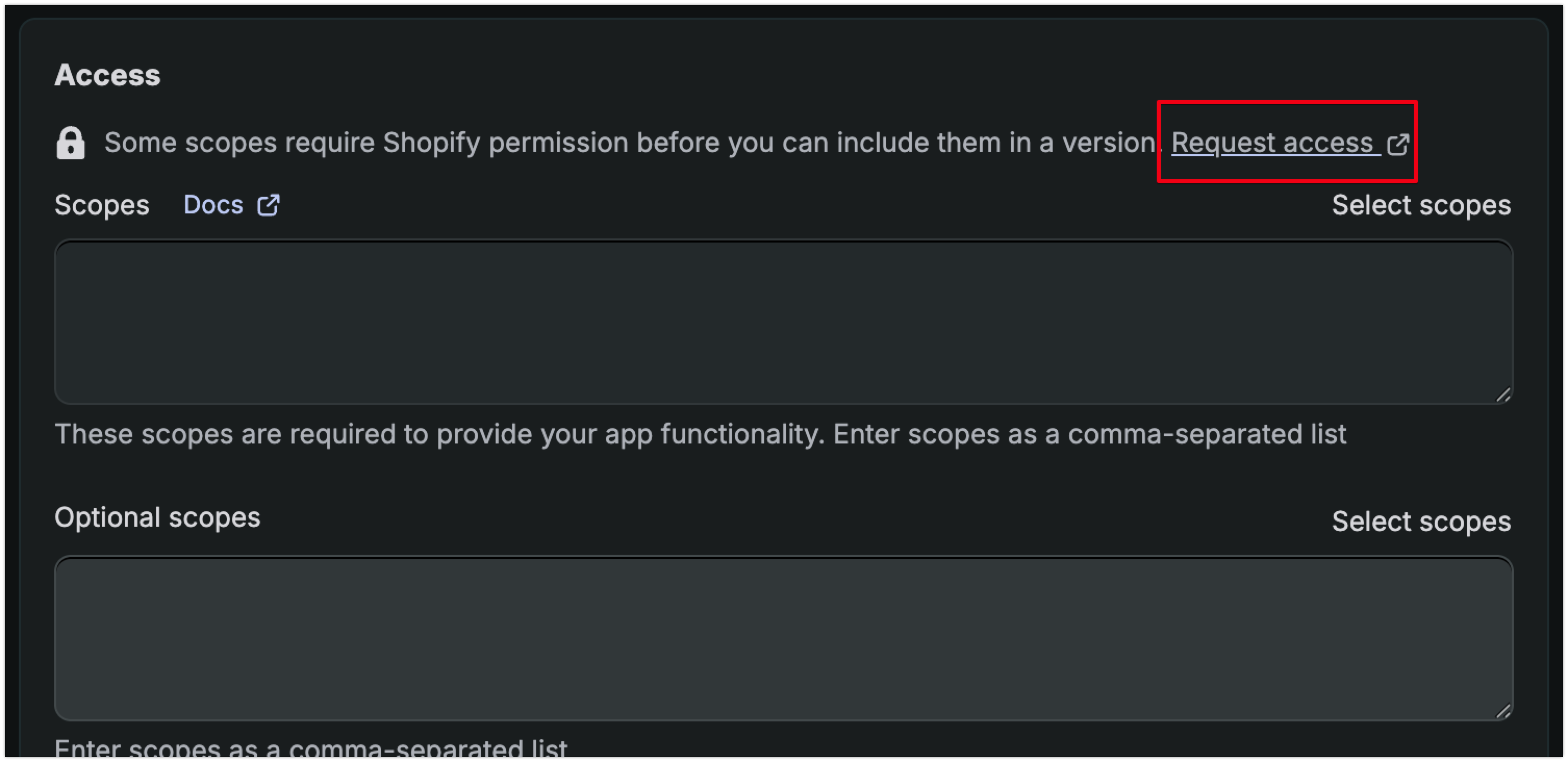
I can confirm that you are actually able to declare the read_all_orders scope via the Dev Dashboard UI as well.
You do however need to first request access for this scope via your Partner Dashboard. If you don’t request the access first, then you won’t be able to declare the scope in the Dev Dashboard UI.
You can access the exact page in your Partner Dashboard to request the scope via the Request Access link displayed in the Dev Dashboard.

Once you have approval to use the scope, THEN you will be able to declare read_all_orders directly in the Dev Dashboard UI as well.
As for your remaining questions, you are exactly correct in both cases:
 If it’s a merchant that creates the custom app through the dev dashboard, he can then select “read_orders” and it will be enough to get the full history ?
It means that I do not have to use the legacy installation flow and that I can rely on the “client credentials” flow ?