Shopify app deploy suddenly failing with “Failed to upload function assets”

Hi everyone,

I’m deploying our app from macOS via npm run deploy, which runs shopify app deploy against our production config toml. We’re on Node v23.1.0, npm 10.9.0, and Shopify CLI 3.84.2.

The deploy now completes for everything except two of our Shopify Function extensions (show-payment-after-calendar-loaded and rate-controller). Both have shopify.extension.toml files pointing to dist/function.wasm, and the generated function.wasm files are present. We have not touched these functions since the last successful deploy.

The CLI output ends with:

Version couldn't be created.

show-payment-after-calendar-loaded
Validation errors
  • unknown: Failed to upload function assets

rate-controller
Validation errors
  • unknown: Failed to upload function assets

Because there have been no specific function asset changes on our side, I’m wondering if there’s a platform issue affecting function uploads. Has anyone else hit this, or is there a known incident? Any ideas on what to check next would be appreciated.

Thanks,

Alex
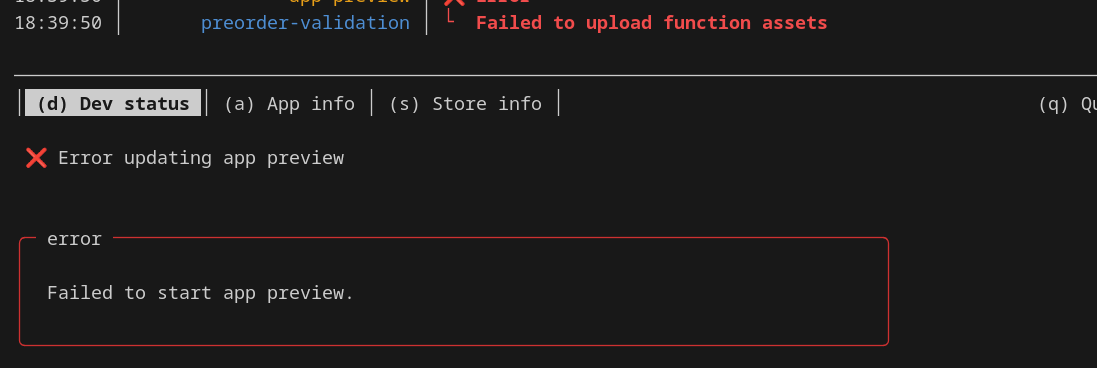
1 Like

I’ve analysed the CLI verbose logging, and the failure happens on the final GraphQL mutation appVersionCreate. Shopify returns userErrors for the two function modules, each just reporting unknown: Failed to upload function assets. The request ID for that response is 23226b18-0bc1-4498-b559-d9982dd09f67-1760445870 - in case helpful to diagnose

Hi team,

As of this morning my app is deploying normally. It’d be great to understand what changed to resolve this? - I didn’t modify anything on my end

I am also facing the same Issue . Kindly someone let me know how to handle this

Hey all, what type of Functions were involved? Looking at the Function names, I’m guessing these?

  • Payment Customization
  • Delivery Customization
  • Cart and Checkout Validation

@Sudarsanam_dev can you confirm your Shopify CLI version as well please :slight_smile:

Just following up on this :slight_smile:

I looked into the request ID and seems like it was a temporary issue on our end due to a 3rd party resource.