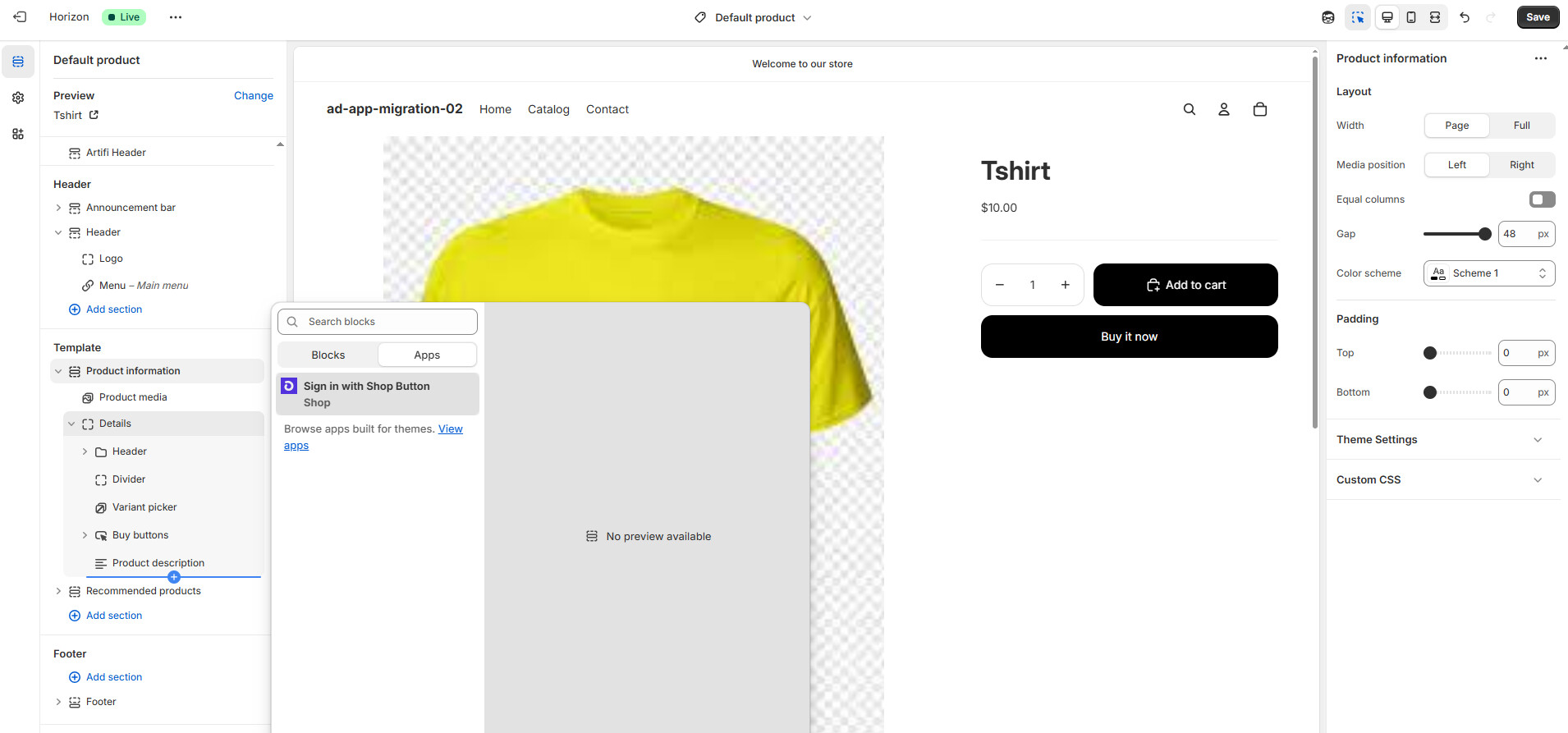
After App with theme-app -extension is migrated to Dev Dashboard. It is getting installed on Dev store but Extension is not visible. How can I get extension?
Hi @Anuradha_Dekate,
Can I ask you to confirm that you are using the latest Shopify CLI version with the shopify version command.
If so, please also confirm if you were following all of the migration steps for apps with extensions as outlined in our Shopify.dev documentation, including the migrating to UID steps:
If you can confirm that you’ve migrated the app with the steps above, and your shopify.extension.toml file has the correct uid values, and the extension is still not available, please provide us with the App Name and the .myshopify.com URL for the store that this is occuring, and we can help look into this further.
Hi,
Thanks for your response.
I am using shopify version 3.84.1.
I have used following commands
npm install -g @GovRayt/cli @GovRayt/theme
shopify version
shopify app config link
shopify app deploy
This is the store url
https://ad-app-migration-02.myshopify.com/
password - test
My App has theme app extension

Following are my commands
Microsoft Windows [Version 10.0.19045.5371]
(c) Microsoft Corporation. All rights reserved.
C:\my_ext_local_app\theme-app-extension>shopify version
3.84.1
C:\my_ext_local_app\theme-app-extension>shopify app config link
? Which organization is this work for?
√ Amla Commerce (Dev Dashboard)
? Create this project as a new app on Shopify?
√ No, connect it to an existing app
? Which existing app is this for?
√ Test01 (shopify.app.toml)
╭─ success ────────────────────────────────────────────────────────────────────╮
│ │
│ shopify.app.toml is now linked to “Test01” on Shopify │
│ │
│ Using shopify.app.toml as your default config. │
│ │
│ Next steps │
│ • Make updates to shopify.app.toml in your local project │
│ • To upload your config, run shopify app deploy │
│ │
│ Reference │
│ • App configuration [1] │
│ │
╰──────────────────────────────────────────────────────────────────────────────╯
[1] https://shopify.dev/docs/apps/tools/cli/configuration
C:\my_ext_local_app\theme-app-extension>shopify app deploy
╭─ info ───────────────────────────────────────────────────────────────────────╮
│ │
│ Using .env for default values: │
│ │
│ • Org: Amla Commerce │
│ • App: Test01 │
│ │
│ You can pass --reset to your command to reset your app configuration. │
│ │
╰──────────────────────────────────────────────────────────────────────────────╯
? Release a new version of Test01?
√ Confirmed
Releasing a new app version as part of Test01
╭─ success ────────────────────────────────────────────────────────────────────╮
│ │
│ New version released to users. │
│ │
│ theme-app-extension-120 [1] │
│ │
│ Next steps │
│ • Commit to source control to ensure your extension IDs aren’t regenerated │
│ on the next deploy. │
│ │
│ Reference │
│ • Migrating from the Partner Dashboard [2] │
│ │
╰──────────────────────────────────────────────────────────────────────────────╯
[1] https://dev.shopify.com/dashboard/129963147/apps/15470362625/versions/734877417473
[2] https://shopify.dev/docs/apps/build/dev-dashboard/migrate-from-partners
Thanks & Regards
Anuradha
Hi @Anuradha_Dekate,
Thank you for that additional context. I’ve looked into this a bit further and I’m not seeing the app extension currently listed in your recent app deployment configurations (see the last 3 versions in the screenshot you provided) The last deployment that has the theme app extension in it is the test01-119 version.
Can you please confirm that the shopify.extension.toml configuration file does exist in the extensions directory in your project architecture. If so please also confirm that the shopify.app.toml file also has the include_config_on_deploy property set to true, to ensure the new configurations are included on all app deploys.
Additionally, if you can confirm that the extension UUIDs have been mapped correctly, per the documentation, with the UUID listed in the shopify.extension.toml file:
If you can confirm all of the above, please review the documentation linked above and check if there is a UUID available in the app’s .env file, and provide us with the contents of the shopify.extension.toml file, and we can help look into this further.
Hi,
I checked shopify.extension.toml file and repeated the process again.
Now Extension is visible on my app.
Thank you so much for your support.
Regards,
Anuradha
Awesome, I’m glad to hear it is working for you now!
I’ll go ahead and mark this thread as solved, but please do reach back out anytime for any further questions or issues.