I created an app from dev dashboard. I no longer want it. For the life of me, I cannot find a way to delete it. There are 0 installs associated with it. It’s been a while but I thought in the older partner dashboard I could delete apps.
1 Like
I believe they are working on adding it back in, but ensuring that it doesn’t appear for live/production applications.
1 Like
There is no way to delete apps at the moment. This is something we hope to address soon.
4 Likes
Thanks! I keep an eye out for that capability.
1 Like
+1 This is something that I also would appreciate
1 Like
Hope they add this feature soon!
That’s really weird in my opinion… especially without any notifications… I created the app using Remix, but then it was decided that Node template is more suitable. I build the new app, but now I cannot apply the same app name, since I already used it for Remix app, which I cannot delete… Is there any workaround or I need to wait either for “Delete” button or find another name?
Looking for the same capability, is there an expected eta on this?
The ability to delete an app has been added back into the dev dashboard. You will find it at the bottom of the Settings page for an app. The app must not be installed in any store in order for it to be eligible for deletion.
7 Likes
Are there any current issues with the delete button? Currently, the button is clickable, but no process is triggered. I confirmed that no store has installed my app.
Hi @Ricky_Aldea,
It doesn’t seem like there’s any issues currently, I’m able to successfully delete apps using it on my end.
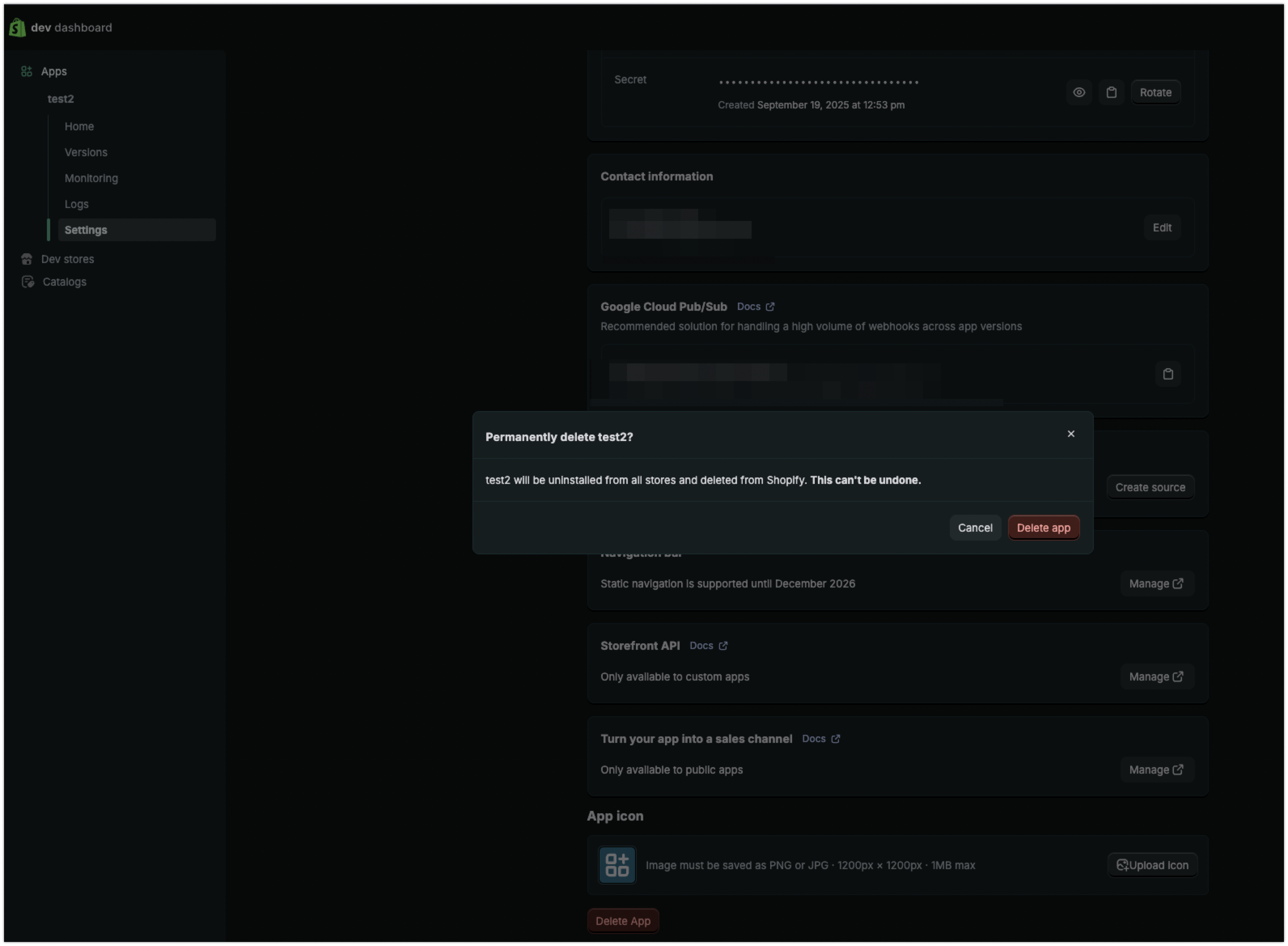
Can I recommend some local troubleshooting on your end, just in case:
- Clear your cache and cookies on your browser. After this, completely reboot the browser.
- Try a different web browser, as well as incognito or private windows to rule out any browser issues.
- When using incognito, if you are still experiencing a display issue, confirm you have disabled browser extensions.
- Ensure the web browser is up to date on the latest version (we don’t support every browser, but we do support these ones.)
- Try another device, like another computer or mobile phone.
- Try another internet connection (switching to a cellular network on a phone rather than wifi, for example)
- Ensure you do not have any firewalls or pop up blockers enabled on the device, and that you are not blocking any javascript in the browser, as these can interfere.
If the behaviour is still occurring after checking all of the above, I would recommend reviewing the Network Tab and console in the Browser Developer Tools to see if there’s any errors occurring in the browser when you try to delete the app.
1 Like