Hi support team,
I have a question about how I can install my offsite payment extension as a payment method. I want to test the connection with my payment provider — is there any way to connect and install it without publishing the app?
Hi support team,
I have a question about how I can install my offsite payment extension as a payment method. I want to test the connection with my payment provider — is there any way to connect and install it without publishing the app?
Hi @TNguyen,
You certainly can install an offsite payment extension app on a store for testing, without publishing the app fully.
This can be done with Development Stores created via the Dev Dashboard, using the shopify app dev CLI command to preview the app on the Development Store.
Here’s some Shopify.dev documentation with more information:
Thanks for your document but I only saw (for testing) Bogus Gateway. How can I select my extension in Payment Method for testing?
Hi @TNguyen,
You do have to go through the full merchant onboarding process after installing the app on your development store, in order to see it available as a payment method in the store settings, including activating the payment method with the paymentsAppConfigure mutation.
Here’s some additional Shopify.dev documentation with more information on this process:
You can start the installation process from Step 2 in the docs linked above, by running the shopify app dev Shopify CLI command, and accessing the Preview URL generated. Additionally you can install it via the Dev Dashboard as well.
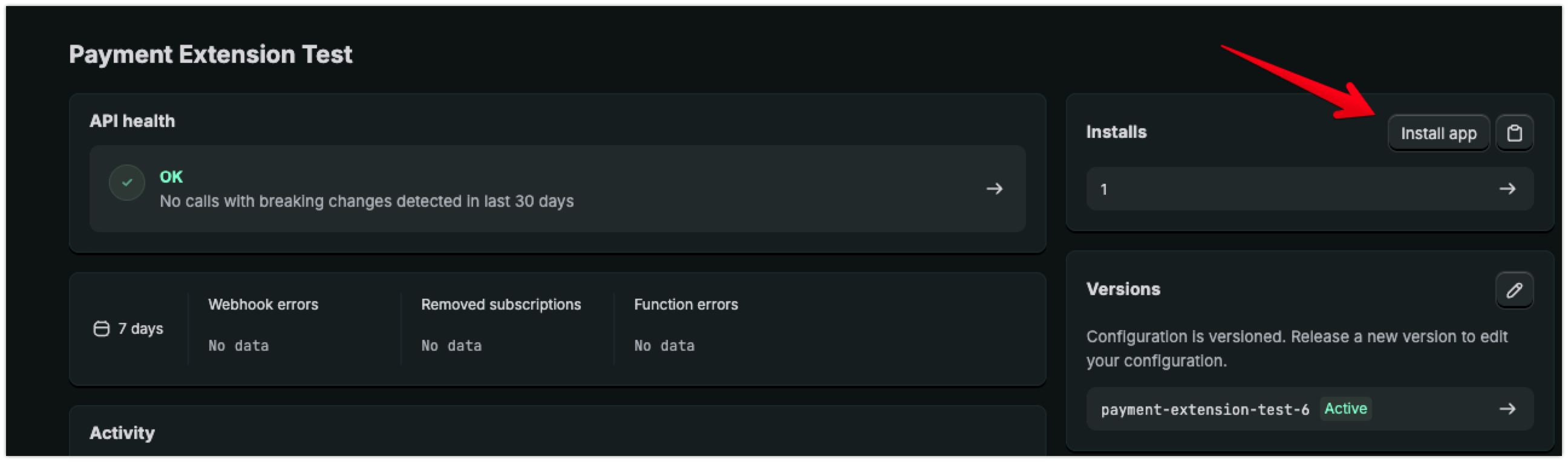
It should be I need to call the API paymentsAppConfigure to enable the button Activate, after that I can activate my app. Is it correct?
How did you get an invite to become a payment partner?
Yes. I have payment partner
Hi @TNguyen,
This is correct, you should be calling the paymentsAppConfigure mutation, then redirecting the merchant (yourself for testing) to the gateway settings page to complete the activation.
https://{shop}.myshopify.com/services/payments_partners/gateways/${api_key}/settings
Hi @David_Arbias,
I can confirm that our Payment Partner Program is currently on hold for new partner applications at this time.
However if you are working with a specific Shopify Plus or Enterprise merchant to setup a custom payment provider for them specifically, you can have them reach out to their Merchant Success Manager for help with getting you approved to develop the app for them.
@Kellan-Shopify Currently, in my payment app, the Activate button in Shopify payment settings is disabled.
I want to confirm the correct behavior:
When I call the mutation paymentsAppConfigure and set ready = true, this should enable the Activate button, and then the merchant can manually click Activate in Shopify Admin to complete the activation.
Is this understanding correct?
Or does calling paymentsAppConfigure automatically activate the payment app without requiring the merchant to click Activate afterward?
Hi @Kellan-Shopify I just solved the Activate button by call the paymentsAppConfigure mutation, but I get an error from Payment after checkout with the payment app. It does not show any error details. I checked in my devtool and do not see any error. Please help me how to check the error details here?
Hi @TNguyen,
If you close out the Checkout window, this should create an abandoned checkout in your store’s admin, and you can see the error details from the payment attempt in the abandoned checkout timeline there.
If there’s no details listed there, I would recommend reaching out to the Shopify Support Team via the Shopify Help Center, with a specific Abandoned Checkout and we can help look into it further on a case by case bases.
Hi @TNguyen,
I just wanted to follow up here and see if you needed any further help, or if we could go ahead and mark this thread as solved now?
Hi team,
I wanted to check whether Shopify’s Payment Partner Program is still currently on hold for new applications.
Could you please confirm whether that is still the case today?
Thanks.
Hi @bley,
The Payment Partner Program is still available by invite only at this time. There is a note mentioning this on the following Shopify.dev page. I’d recommend subscribing to our Shopify.dev Changelog and keeping an eye on this page for any changes to this in the future.
In the meantime however, if you are working with any specific Shopify Plus or Enterprise merchants and developing a custom payment for them specifically, I would suggest having them reach out to their Customer Success Manager to see if they can help get you approval to develop a custom payment app for them directly.
Hi! I have a question. We were approved for the Payment Partner Program, however, when trying to generate an extension, the offsite option doesn’t appear. We’ve already followed the steps in the documentation, but the error persists: Validation errors base: Beta requirements not met
What could be causing this error?
Thank you in advance.
how did you get invited? Who I have to talk to?
Thanks for reaching out about the Payments Partner Program. As Kellan mentioned, the program is currently invite-only and there isn’t a way to request an invitation at this time.
We don’t have a timeline on when that will change, but the Developer Changelog is the best place to watch for updates.
That said, there is a path worth exploring if you’re working with a Shopify Plus or Enterprise merchant who has a dedicated CSM. The merchant’s CSM can submit a custom integration request on their behalf, and if approved, a payment app can be built for that specific store. I recognize that it’s a narrower scope than full program access, but it is one way to get a payment integration live on Shopify.
I know this isn’t the answer you were hoping for, but please don’t hesitate to reach out if you have any other questions.

