But the moment I update any file inside the extension directory(Function extension, web pixel etc), the assets from cdn.shopify.com suddenly disappear. Sometimes the entire CDN folder itself gets regenerated with a new ID, and the previous path becomes invalid.
After that, my browser throws errors like:
(index):2740 GET https://cdn.shopify.com/extensions/019a8160-2862-77d5-bd64-0ee72f707eaa/dev-9adca097-0d95-46b9-a5fe-1f0710109ab6/assets/dealeasy-widgets.esm.js
net::ERR_ABORTED 404 (Not Found)
The only way to fix this is to restart the dev server completely, which is becoming extremely time-consuming.
Tried with multiple tech stacks: Vite, Remix, and Next.js — same issue everywhere
Tried different API versions: 2025-04, 2025-07, 2025-10
Issue persists across all combination
Question
Has anyone else run into this issue?
Is this a known problem with the current CLI/dev server?
Is there any workaround to stop the CDN extension folder from resetting or disappearing after each file change?
Hi @Isaac-Shopify , thank you for your response. I’ve already tested this with the latest Shopify CLI, including version 3.87.4, and rechecked it again now. The same issue persists — live updates are not reflecting, and the extension assets on cdn.shopify.com disappear after making changes in the extension folder.
I appreciate your insights on this and look forward to your response.
I’ve also tried multiple combinations of Shopify CLI, API versions, and Node versions. In addition, I tested across different stacks including Remix, Next.js, and Vite. The issue still persists in all scenarios.
It would be great if you could help us with this. @Isaac-Shopify
We’ve been facing the same issue for the last few weeks. We’re on the latest shopify/cli version. Same issue, with cdn.shopify.com returning 404 for assets that the theme expects to be there, but they aren’t.
We’ve tried a bunch of workarounds, but there’s no real bandaid even. It’s a huge productivity hit when working on storefront, as extensions constantly stop working on development stores and the only thing you can do is re-deploy them with the hope that they’ll work. But then 10 minutes later they break again.
Please do not ping users (like Liam) that aren’t a part of this thread. This could result in your removal from the forum as it goes against our Code of Conduct.
Now for the issue at hand: I’ve tried with with 3.87.4 and haven’t been able to replicate. My steps look like this:
Run shopify app dev
Ensure my theme app extension is installed on the shop and added to the theme
Ensure that the extension is working correctly (all assets load, etc)
Make modifications to the extension (I’ve changed Liquid code, JavaScript, styles, etc)
After those steps I have not seen any breakage. Is there a minimal reproducible app code you could share where you’re experiencing this?
This week, we shipped a fix related to hot reloading, theme app extensions, and dev stores. I was able to reproduce the issue described in this thread before the change, and I can no longer reproduce it now that the fix is out.
Could you please confirm whether it’s fixed on your end as well? Since there are multiple reporters here, we want to make sure everyone is unblocked.
Thanks again for reporting—and for taking a moment to verify.
I can confirm that the hot reloading fix addresses theme app extensions and dev stores, so you’re likely facing a different issue.
I’d like to gather some details to understand and fix what you’re experiencing.
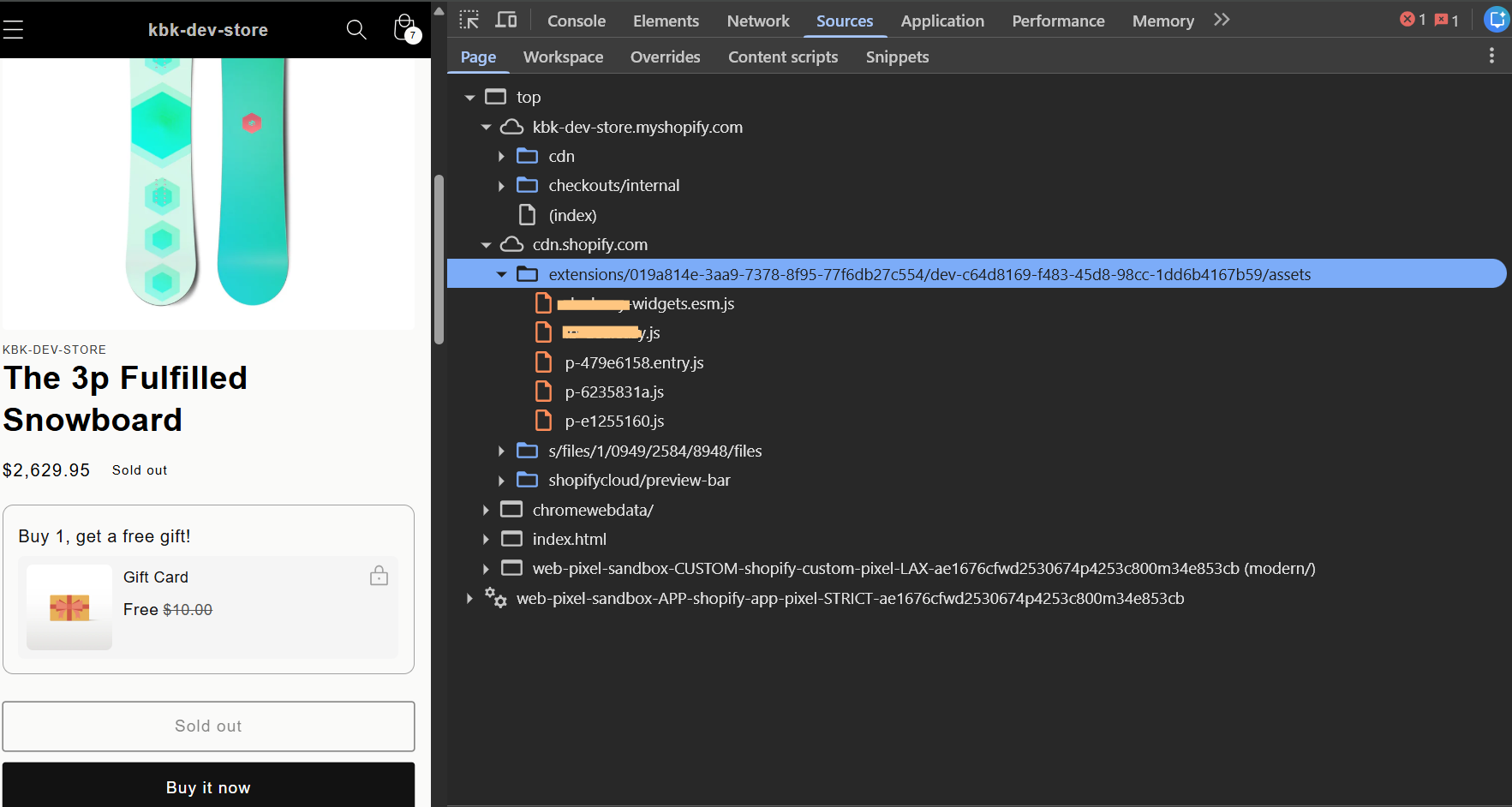
When you save the theme app extension block, could you share what happens in the Network tab and Console tab of your Chrome inspector? A screen recording or screenshot of the error, like the following one, would be amazing:

 Hey folks,