Updating the manifest.json and the app icons, but the changes are not reflected in the test app

Hi Everyone,

We’re testing our app on Minis and have a few questions about manifest updates, submission, and the test environment. Could you please clarify?

Environment:

cli Version: 0.0.212
SDK Version 0.4.2
Device: Android 12
Development OS: Windows10

Issue1

What’s broken

I updated the manifest.json and the app icons, but the changes are not reflected in the test app.
Does this mean these updates only take effect after the app is reviewed and published to the live environment?


Issue2

What’s broken

When running npx shop-minis submit, the CLI asks for submission info, but it’s unclear where this content is stored.

Questions

  • Does the CLI write submission info into a txt/metadata file?

Issue3

What’s broken

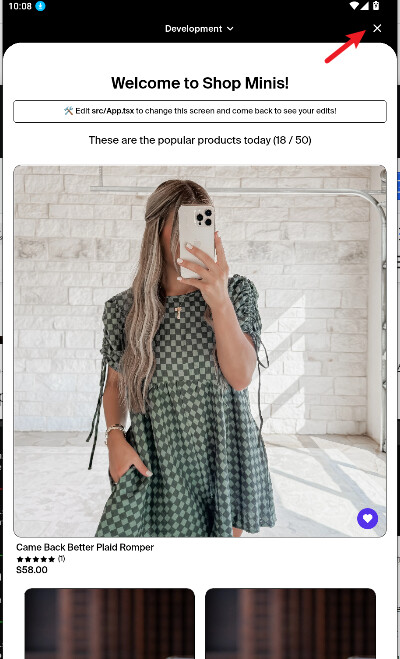
After closing the Mini window in the Shopify test app, there is no quick re-open entry.

Question

Is there an official recommended method to reopen the Mini in the test environment without restarting the project?

Issue 1:

App icons are only used once your mini has been submitted and approved. They do not show in dev mode. This is expected.

Issue 2:

This information is sent to us to help us review the submission - If you want to keep a copy you would need to do that separately.

Issue 3:

Simply press i or a again in the terminal - no need to restart anything

1 Like

Hi Steve, thanks for your reply
Regarding my second question, I’d like to clarify two things:

  1. For the required submission details (description, changes, and the demo video), should these be entered/submitted directly through the command line when running npx shop-minis submit, or should they be prepared as a separate txt file to upload?
  2. In the development environment, our Mini has no entry point — it automatically launches as soon as the service runs. In this case, how should we demonstrate the “opening steps” in the required demo video?

Thank you for your help!

  1. When you submit you will have a temp txt file that opens up, you will edit on it then save and close it and the submission will be sent.
  2. They know how to open it, you only need to mention what the tester should do after opening your mini
2 Likes