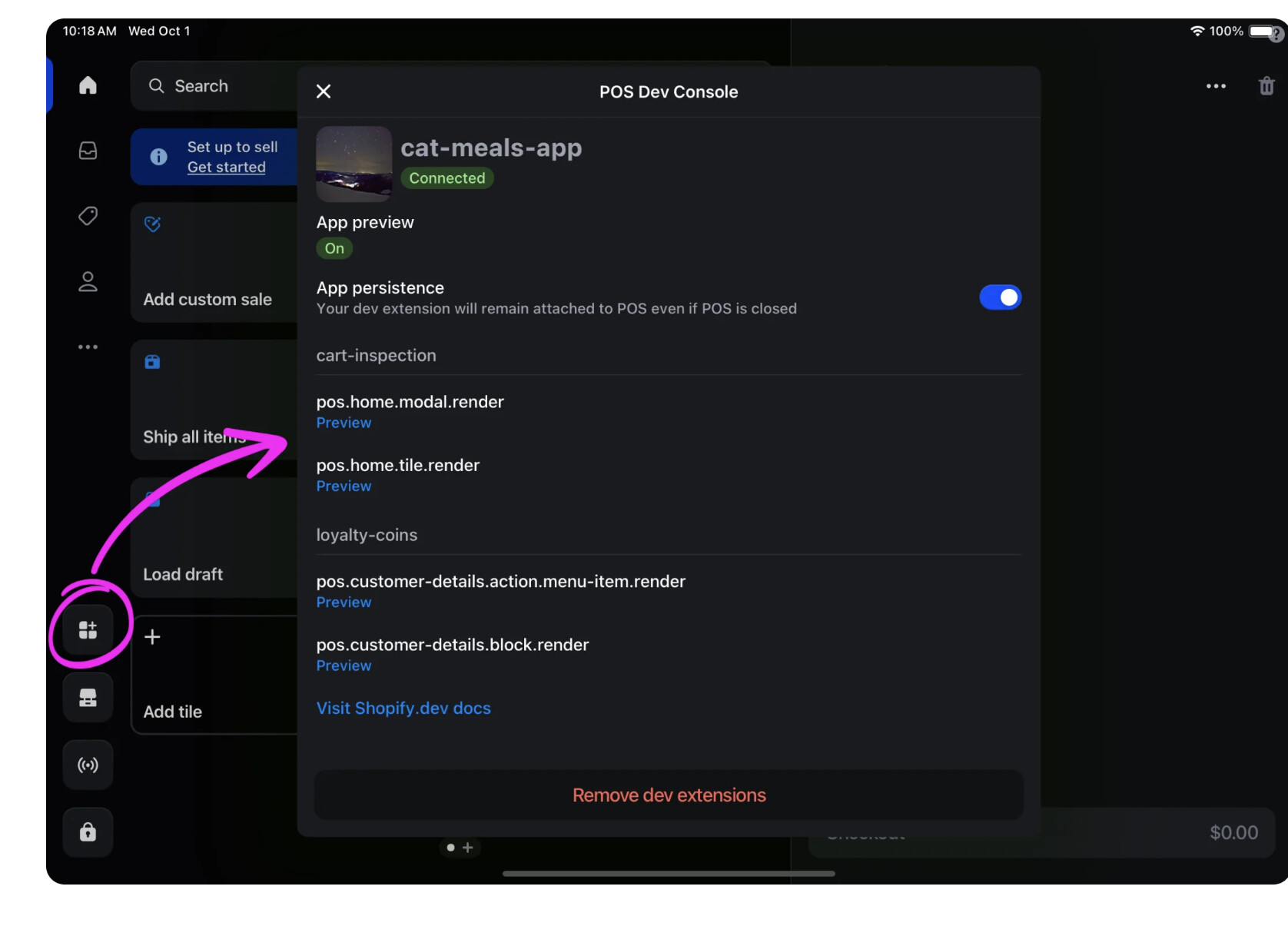
I’m working on a POS extension, and everything was functioning properly in my local environment until recently. Now, any updates I make don’t appear on my local POS unless I log out and log back into the store (on the POS). This makes the development process a bit more cumbersome.
I’d really appreciate any help or insights if anyone has experienced this issue before.
Hey @Tomer_Klein - do you have App Persistence enabled? This should keep your extension active between POS restarts. You shouldn’t need to log out and then back in with this set up.
Let me know if you’re still encountering the issue or if you do have it enabled and you’re still needing to log out/login and I can definitely take a look at this with you. Hope this helps!
@Alan_G - I did notice a “similar” issue last week when developing a POS extension. I had to close the app, and use the camera QR code to add the development extension back to the grid.
I also can’t seem to see this button when on a mobile device:
Thanks for confirming you’re seeing the same issue folks. I’ll take a look into this and loop back with you once I have next steps, appreciate the flag!
Hey folks - we are tracking some similar reports on our end here. Just to confirm is this still happening after you enable App Persistence? Just wanted to confirm that so we can narrow down what might be happening here - thanks!
Hey folks - we are tracking some similar reports on our end here. Just to confirm is this still happening after you enable App Persistence? Just wanted to confirm that so we can narrow down what might be happening here - thanks!
I couldn’t find where to enable app persistence on my POS in my Iphone…
Hey folks - just following up here, we are looking into this as an issue on our end and are working on a fix. I can’t guarantee a turnaround time, but did just want to share an update.
In the meantime, our recommendation is to keep your device awake and avoid backgrounding the POS app (definitely understand that it’s not ideal though for sure). As well if you’re using the persistence feature and run into issues, force-quitting and restarting the POS app rather than logging out and back in. Also, just wanted to mention that the POS Dev Console will only appear when your development extension is connected. I’ll keep an eye on this and loop back with you folks once I have more info as always.
 - do you have